

Create sales reports and order exports for WooCommerce with product analytics, order fulfillment data, filtering, charts, and 15+ templates.
★ 4.4/5 (57)5,000+ active installations
- Version
- 2.1.4
- WordPress
- 6.2+
- PHP
- 8.1+
- Updated
- 17 Nov 2026
WORDPRESS RESOURCES
Explore public plugin information from the official WordPress.org directory. Compare what a plugin does, its requirements and update history before adding it to your website.
Explore WordPress hosting →9,178 matching plugins reported by WordPress.org · Page 5 of 50
Source: WordPress.org
Data refreshed 23 Nov 2026 06:13 UTC
Create sales reports and order exports for WooCommerce with product analytics, order fulfillment data, filtering, charts, and 15+ templates.
Track Orders for WooCommerce – WooCommerce Shipping Plugin with delivery notifications, tracking templates, and live updates.
Nova Poshta, Ukrposhta, Rozetka and Nova Global in one plugin. Shipping labels (TTN) right from orders, block checkout, no third-party sign-up.

By SteadFast Courier LTD
SteadFast Courier WooCommerce Plugin

By ithemelandco
Streamline order management by editing and updating multiple orders simultaneously, ensuring smooth operations.

By WP All Solution
Automatically complete WooCommerce orders after successful payment. Supports virtual, digital, downloadable products.

By Dmitry V. (CEO of "UKR Solution")
Manage and sell (POS) your inventory. It reads barcodes & finds woocommerce products/orders. Create orders right from the wp-admin.
By wizbee IT
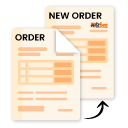
Easily duplicate WooCommerce orders with just one click. You can also set duplicated order status, fee, shipping, coupon etc option from setting.
Automate WooCommerce WhatsApp notifications with the official WhatsApp Cloud API. Recover carts, verify COD orders, send broadcasts with Notiqoo Pro.

By PI Web Solution
Order cancellation request / Refund request / Return order request. Repeat order option to customer for WooCommerce
Advanced export tools for all your WooCommerce store data: Orders, Products Customers & More, export to XML or CSV in one click.

By Elementor
Monitor every change on your WordPress site — who did what, when, and where it came from — for a complete audit trail and stronger security.
CHOOSE WHAT YOUR WEBSITE NEEDS
Start with the task you need to solve. Compare features, WordPress and PHP requirements, update history and the author’s documentation. Test changes on a private copy and avoid adding several plugins for the same job.
This independent directory displays plugin information on WebFulHost and links to the official source. Packages are not mirrored or installed here. A plugin can include paid extensions or services with separate terms from its author.



