

Simple User Avatar
By Matteo Manna
Simple User Avatar helps users to add or remove their avatar using images from his Media Library.
★ 4.6/5 (19)20,000+ active installations
- Version
- 5.4
- WordPress
- 4.0+
- PHP
- 8.0+
- Updated
- 2 Nov 2026
WORDPRESS RESOURCES
Explore public plugin information from the official WordPress.org directory. Compare what a plugin does, its requirements and update history before adding it to your website.
Explore WordPress hosting →10,000 matching plugins reported by WordPress.org · Page 5 of 50
Source: WordPress.org
Data refreshed 19 Nov 2026 17:51 UTC
By Matteo Manna
Simple User Avatar helps users to add or remove their avatar using images from his Media Library.

By Nicu Micle
Modern JWT authentication for WordPress REST APIs, headless frontends, mobile apps, and WPGraphQL - fully free, no upsells.
By Roland Murg
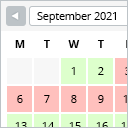
This booking calendar shows when something is booked or available. Use it to show when your holiday home is available for rent, for example.

By mra13 / Team Tips and Tricks HQ
Lightweight, user-friendly plugin to sell products/services on WordPress. Easily add a shopping cart and start accepting orders in minutes.

By Fabrice ESQUIROL
Insert DIVI Library item inside module content or inside a php template by using a shortcode.

By srumery
Display a side tab that you can easily link to any page. Customize the tab text, font and colors. It's that simple. That's Simple Side Tab.

By Kuba Mikita
Adds simple notes to post, page and custom post type edit screen.

By George Pattichis
Simple CPT provides an easy to use interface for registering and managing custom post types and custom taxonomies.

By Joris Le Blansch
This plugin keeps a log of WordPress user logins. Offers user and date filtering, and export features.

By imemine
Simple Page Redirect is an easy-to-use WordPress plugin that lets you quickly redirect any post, page, or custom post type to an internal or external …

By enomoto celtislab
Dynamically activate the selected plugins for each page. Response will be faster by filtering plugins.

By hashthemes
Floating buttons for calls, WhatsApp, email, social profiles and back to top, in the shape, colours and position you choose. No code needed.
CHOOSE WHAT YOUR WEBSITE NEEDS
Start with the task you need to solve. Compare features, WordPress and PHP requirements, update history and the author’s documentation. Test changes on a private copy and avoid adding several plugins for the same job.
This independent directory displays plugin information on WebFulHost and links to the official source. Packages are not mirrored or installed here. A plugin can include paid extensions or services with separate terms from its author.