

Advanced Editor Tools
By Andrew Ozz
Extends and enhances the block editor (Gutenberg) and the classic editor (TinyMCE).
★ 4.5/5 (354)1,000,000+ active installations
- Version
- 5.10.1
- WordPress
- 6.5+
- PHP
- 5.6+
- Updated
- 26 Aug 2026
WORDPRESS RESOURCES
Explore public plugin information from the official WordPress.org directory. Compare what a plugin does, its requirements and update history before adding it to your website.
Explore WordPress hosting →1,691 matching plugins reported by WordPress.org · Page 5 of 50
Source: WordPress.org
Data refreshed 22 Nov 2026 13:47 UTC
By Andrew Ozz
Extends and enhances the block editor (Gutenberg) and the classic editor (TinyMCE).
A single block to display custom fields in the Block Editor. It supports ACF, MetaBox, WooCommerce, meta, rest field, shortcode and more.

By NerdPress
One-click database optimization with precise revision cleanup and flexible scheduling. Speeding up sites since 2011!

By WP Media
Adminimize that lets you hide 'unnecessary' items from the WordPress backend

By GrandPlugins
Upload AVIF images, display them correctly, and generate the sub-sizes WordPress leaves out.

By HeroThemes
Heroic Table of Contents is the easiest way to add a table of contents to your site.

By Automattic
A very fast caching engine for WordPress that produces static html files.
EU consumer rights for WooCommerce: legal-guarantee notice, GARAN label, withdrawal button, right to repair, Omnibus lowest price and GPSR info.
By Pektsekye
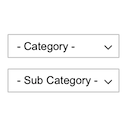
Displays product categories as dependent drop-down selects.
Take full control of your WordPress admin bar: hide items, reorder menus, and design a cleaner toolbar for every user.

By EDGARROJAS
The most customizable extra product options builder for WooCommerce. You will love how many fields and features the free version has.
The easiest way to load ACF & SCF fields in WordPress blocks. Add your custom fields to the block editor instantly — no coding required!
CHOOSE WHAT YOUR WEBSITE NEEDS
Start with the task you need to solve. Compare features, WordPress and PHP requirements, update history and the author’s documentation. Test changes on a private copy and avoid adding several plugins for the same job.
This independent directory displays plugin information on WebFulHost and links to the official source. Packages are not mirrored or installed here. A plugin can include paid extensions or services with separate terms from its author.


