Sticky Social Link is a Floating/Sticky Social Link Plugin. This Plugin will make Your social media links sticky/floating on your website.
★ 5.0/5 (4)1,000+ active installations
- Version
- 2.0.1
- WordPress
- 6.0+
- PHP
- 7.0+
- Updated
- 11 Jun 2026
View plugin details ↗Floating Social Media Icons, Sticky Share Buttons, Facebook Feeds, & Popup builder. Also, create Call, Email, SMS, & Contact buttons to increa …
★ 4.8/5 (396)40,000+ active installations
- Version
- 7.0.2
- WordPress
- 4.7+
- PHP
- 7.0+
- Updated
- 13 Aug 2026
View plugin details ↗Adds a sortable "Last Login" column to the Users screen — spot inactive accounts and see who's actually using your site.
★ 3.8/5 (26)10,000+ active installations
- Version
- 9
- WordPress
- 6.5+
- PHP
- 8.1+
- Updated
- 9 Oct 2026
View plugin details ↗Display TripAdvisor reviews in a fast WordPress slider or grid with badges and guest photos. Multi-location support; stored locally on your server.
★ 4.8/5 (135)8,000+ active installations
- Version
- 15.4
- WordPress
- 3.0.1+
- Updated
- 23 Nov 2026
View plugin details ↗Schema & Structured Data adds Google Rich Snippets markup according to Schema.org guidelines to structure your site for SEO.
★ 4.5/5 (252)100,000+ active installations
- Version
- 1.71.1
- WordPress
- 5.3.0+
- PHP
- 5.6.20+
- Updated
- 23 Nov 2026
View plugin details ↗Formerly "Custom Facebook Feed". Display completely customizable Facebook feeds of a Facebook page. Supports Facebook oEmbeds.
★ 4.7/5 (1,511)100,000+ active installations
- Version
- 4.16.0
- WordPress
- 4.1+
- PHP
- 7.4+
- Updated
- 12 Nov 2026
View plugin details ↗Automatically share your WordPress posts on multiple social networks like Facebook, X (Twitter), LinkedIn, Instagram and more.
★ 4.0/5 (556)20,000+ active installations
- Version
- 9.4.6
- WordPress
- 4.7+
- PHP
- 7.4+
- Updated
- 15 Nov 2026
View plugin details ↗Automatically publishes blog posts to profiles, pages, groups, and communities across supported social networks.
★ 3.3/5 (618)20,000+ active installations
- Version
- 4.5.3
- WordPress
- 6.0+
- PHP
- 7.4+
- Updated
- 23 Nov 2026
View plugin details ↗Best all-in-one WordPress security plugin, uses HTTP & HSTS response headers to avoid vulnerabilities: XSS, injection, clickjacking. Force HTTP/HTTPS.
★ 4.9/5 (79)90,000+ active installations
- Version
- 5.3.6
- WordPress
- 4.7+
- PHP
- 7.4+
- Updated
- 30 Oct 2026
View plugin details ↗Add social sharing icons to a post or page of your WordPress website and allow visitors to share your content on various social media sites.
★ 4.4/5 (5)1,000+ active installations
- Version
- 1.7.8
- WordPress
- 5.0+
- PHP
- 7.0+
- Updated
- 24 Nov 2026
View plugin details ↗EmailKit is a powerful WordPress and WooCommerce email customizer tool, free for everyone! It allows users to customize and design templates that show …
★ 4.7/5 (15)70,000+ active installations
- Version
- 1.7.0
- WordPress
- 6.0+
- PHP
- 7.4+
- Updated
- 3 Nov 2026
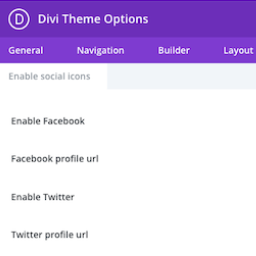
View plugin details ↗This plugin adds the ability to add more social icons to your website when using the Divi theme.
★ 5.0/5 (4)1,000+ active installations
- Version
- 1.8.1
- WordPress
- 5.1+
- PHP
- 5.4+
- Updated
- 7 May 2026
View plugin details ↗