

A single block to display custom fields in the Block Editor. It supports ACF, MetaBox, WooCommerce, meta, rest field, shortcode and more.
★ 5.0/5 (57)10,000+ active installations
- Version
- 1.6.2
- WordPress
- 6.9+
- PHP
- 8.0+
- Updated
- 20 Oct 2026
WORDPRESS RESOURCES
Explore public plugin information from the official WordPress.org directory. Compare what a plugin does, its requirements and update history before adding it to your website.
Explore WordPress hosting →10,000 matching plugins reported by WordPress.org · Page 6 of 50
Source: WordPress.org
Data refreshed 22 Nov 2026 16:29 UTC
A single block to display custom fields in the Block Editor. It supports ACF, MetaBox, WooCommerce, meta, rest field, shortcode and more.

By silverplugins217
Add unlimited custom fields to WooCommerce registration forms. Pro adds file upload, select, radio, date picker, color picker, and more.

By Mathew
Display a banner that allows users to add your website as a preferred source on Google Search.

By Mujahid Ishtiaq
A Typography Add-on for the Advanced Custom Fields Plugin.

By Nks
Vertical News Scroller turns any sidebar, footer, or page section into a live scrolling news ticker - no coding required. Add unlimited news items, ch …

By B2B Managers
Hide product prices and the Add to Cart button in WooCommerce with rule-based control. Perfect for B2B, wholesale, and catalog mode stores.

By Marcus (aka @msykes)
Events calendar and booking system: bookings, reservations, appointments, scheduling, event registration, tickets and recurring events.

By Nabil Lemsieh
Hide, disable, customize, or replace the WooCommerce Add to Cart button using conditional rules based on user role, cart content, country, and more.
ACF field that allows user to crop image to a specific aspect ratio or pixel size

By Rocketgenius
Manage Gravity Forms on the command line.

Membership & community plugin with user profiles, registration & login, member directories, content restriction, user roles and much more.
By Rodrigo Bogdanowicz
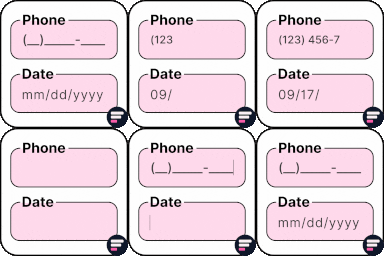
Apply input masks in Elementor form widget fields - phone, date, time, credit card, CPF, CNPJ, CEP & more for valid and error-free entries.
CHOOSE WHAT YOUR WEBSITE NEEDS
Start with the task you need to solve. Compare features, WordPress and PHP requirements, update history and the author’s documentation. Test changes on a private copy and avoid adding several plugins for the same job.
This independent directory displays plugin information on WebFulHost and links to the official source. Packages are not mirrored or installed here. A plugin can include paid extensions or services with separate terms from its author.
