

Reveal IDs
By wpseek
What this plugin does is to reveal most removed IDs on admin pages, as it was in versions prior to 2.5.
★ 5.0/5 (61)40,000+ active installations
- Version
- 1.6.3
- WordPress
- 3.0+
- PHP
- 7.4+
- Updated
- 15 Aug 2026
WORDPRESS RESOURCES
Explore public plugin information from the official WordPress.org directory. Compare what a plugin does, its requirements and update history before adding it to your website.
Explore WordPress hosting →10,000 matching plugins reported by WordPress.org · Page 6 of 50
Source: WordPress.org
Data refreshed 19 Nov 2026 05:50 UTC
By wpseek
What this plugin does is to reveal most removed IDs on admin pages, as it was in versions prior to 2.5.
By WP Chill
Let your admin menu breathe.
By John Regan
Add Custom CSS to your WordPress site without any hassles.
A free admin theme with dark mode for WordPress: every screen redrawn, a menu you can reorder, notices in one place, Refined Media Library built in.

By Trustindex
Google Reviews Widget for WordPress. Display Google reviews in 1 minute with 45 professional layouts. Build trust, boost SEO, and increase sales.
Optimize and tweak WordPress by disable unused features. Improve performance, SEO and security using Clearfy — super easy, fast and zero code.

By creativeinteractivemedia
Scroll animations, hover effects, typewriter text and count-up numbers for Gutenberg, Elementor and Bricks. CSS and 3D WebGL effects. No code.
By Jory Hogeveen
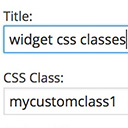
Add custom classes and ids plus first, last, even, odd, and numbered classes to your widgets.
A lightweight plugin that automatically minifies, compresses, and caches HTML, CSS, and JavaScript on demand to improve your website’s load speed.
White label WordPress admin, admin menu editor, login page customizer, admin dark mode, media library folders, admin columns.

By Link Software LLC
Our White Label WordPress plugin lets you make a custom admin experience. Create a custom login page, a custom dashboard, and much more.

By gqevu6bsiz
Simply and easy-to-use the customize for Admin and Frontend. A lot of custom filters and actions, and included the developer tools.
CHOOSE WHAT YOUR WEBSITE NEEDS
Start with the task you need to solve. Compare features, WordPress and PHP requirements, update history and the author’s documentation. Test changes on a private copy and avoid adding several plugins for the same job.
This independent directory displays plugin information on WebFulHost and links to the official source. Packages are not mirrored or installed here. A plugin can include paid extensions or services with separate terms from its author.



