

QuadMenu – Mega Menu
By quadlayers
Responsive mega menu plugin for WordPress with customizable layouts and an intuitive drag-and-drop builder.
★ 4.5/5 (271)10,000+ active installations
- Version
- 3.3.9
- WordPress
- 4.7+
- PHP
- 5.6+
- Updated
- 27 Oct 2026
WORDPRESS RESOURCES
Explore public plugin information from the official WordPress.org directory. Compare what a plugin does, its requirements and update history before adding it to your website.
Explore WordPress hosting →9,698 matching plugins reported by WordPress.org · Page 6 of 50
Source: WordPress.org
Data refreshed 20 Nov 2026 04:05 UTC
By quadlayers
Responsive mega menu plugin for WordPress with customizable layouts and an intuitive drag-and-drop builder.

By Rui Guerreiro
Adds an image or icon in the menu items. You can choose the position of the image (after, before, above, below) or even hide the menu item title.

By BerryPress
Quickly export and download your WooCommerce product orders as a CSV with product, line item, order, and customer data.
By CodeYatri
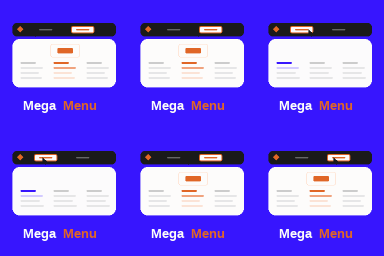
A powerful and customizable mega menu block for WordPress, supporting links, images, and rich block-based layouts.

By Tushar Kapdi
Menu Option allows to control which menu items your site’s visitors will see. i.e. Everyone, Logged In Users, Logged Out Users, Logout Link.
HT Menu is a Elementor page builder addon to create menu and mega menu for WordPress websites. It allows to add Elementor templates to build coloumn a …
White label WordPress admin, admin menu editor, login page customizer, admin dark mode, media library folders, admin columns.

By Bjorn Manintveld
This is the easiest way to duplicate your menu

By Forge12 Interactive GmbH
Easily add unlimited floating/sticky menus to your Website. The F12 Floating Menu comes with an easy-to-use interface, allowing you to have the full c …

By Yudiz Solutions Ltd.
Empower your WordPress menus with images. Easily add, position, and customize images for a unique menu experience.

By Northern Beaches Websites
With WP Custom Admin Interface you can easily customise the WordPress admin and login interfaces.

By Dan Knauss
Hide admin menu items per user role, rename them, reorder them, swap their icons — an inline admin menu editor you drive right on the menu itself.
CHOOSE WHAT YOUR WEBSITE NEEDS
Start with the task you need to solve. Compare features, WordPress and PHP requirements, update history and the author’s documentation. Test changes on a private copy and avoid adding several plugins for the same job.
This independent directory displays plugin information on WebFulHost and links to the official source. Packages are not mirrored or installed here. A plugin can include paid extensions or services with separate terms from its author.

