

Organize thousands of WordPress media files in folders / categories with ease.
★ 4.7/5 (1,126)200,000+ active installations
- Version
- 6.5.9
- WordPress
- 3.0+
- PHP
- 7.4+
- Updated
- 13 Oct 2026
WORDPRESS RESOURCES
Explore public plugin information from the official WordPress.org directory. Compare what a plugin does, its requirements and update history before adding it to your website.
Explore WordPress hosting →2,554 matching plugins reported by WordPress.org · Page 6 of 50
Source: WordPress.org
Data refreshed 23 Nov 2026 11:33 UTC
Organize thousands of WordPress media files in folders / categories with ease.

By Stefano
Easily handle authors' payments on a multi-author blog by computing posts' remuneration basing on admin defined rules.

By Greg - SiteOrigin
Build responsive page layouts using the widgets you know and love using this simple drag and drop page builder.

By Sami Ahmed Siddiqui
A powerful WordPress plugin for full URL control. Set custom permalinks, auto-redirects, and use dynamic tags for ideal site structure and SEO.

By SimpleCalendar
Display Google Calendar events on your WordPress site in real-time synchronization. Fully customizable and 100% mobile responsive.

By Marcus (aka @msykes)
Uses the FullCalendar library to create a stunning calendar view of events, posts and other custom post types
Self-hosted heatmaps, funnels and Smart Insights for WordPress and WooCommerce. Data on your server. All of Pro free 6 months, 1 site, no card.
By Roland Murg
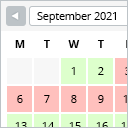
This booking calendar shows when something is booked or available. Use it to show when your holiday home is available for rent, for example.

Sell event tickets with WooCommerce. Event registration, recurring events, RSVP, attendee management & event calendar — free.

By Easy Appointments
The easiest free WordPress booking plugin. Create beautiful appointment booking forms with flexible scheduling and email notifications.

By Omnisend
Email Marketing, Newsletter, Email Automation, Forms, Pop Up, SMS, Abandoned Cart made easy for WordPress & WooCommerce by Omnisend

By TrustedSite
Trust badges to increase sales.
CHOOSE WHAT YOUR WEBSITE NEEDS
Start with the task you need to solve. Compare features, WordPress and PHP requirements, update history and the author’s documentation. Test changes on a private copy and avoid adding several plugins for the same job.
This independent directory displays plugin information on WebFulHost and links to the official source. Packages are not mirrored or installed here. A plugin can include paid extensions or services with separate terms from its author.
