Media List Journalist Search
By medialist
Search journalists, editors, producers, podcast hosts and creators from your Media List account, right inside WordPress.
0+ active installations
- Version
- 1.1.0
- WordPress
- 6.0+
- PHP
- 7.4+
- Updated
- 26 Oct 2026
WORDPRESS RESOURCES
Explore public plugin information from the official WordPress.org directory. Compare what a plugin does, its requirements and update history before adding it to your website.
Explore WordPress hosting →342 matching plugins reported by WordPress.org · Page 6 of 29
Source: WordPress.org
Data refreshed 20 Nov 2026 09:33 UTC
By medialist
Search journalists, editors, producers, podcast hosts and creators from your Media List account, right inside WordPress.

By HeyFolks.app
Exposes your blog via the Social Profile Exchange Protocol so your friends can follow your updates using any SPXP client, like the HeyFolks app.

By laurencebahiirwa
Automatically add posts from another WordPress website using a shortcode like [blogcrosspost url="example.com"]

By blocksmonster
Blocks Monster – Gutenberg Blocks, Elementor Widgets, Landing Page Builder, WooCommerce Enhancer

By Jake Goldman
Automatically generate blog posts from GitHub releases using AI.

By kieransimkin0
Store page facts once for Open Graph, X cards and music or webpage Schema.org metadata.

By medialeap
Convert articles into Gemini-powered AI audio with text-to-speech. Gutenberg block, shortcode, auto embed, plus Amazon Associate monetization.

By kieransimkin0
BPM-synchronised web motion with media clocks, cue timing and accessible fallbacks.

By Alex Kirk
A WordPress app launcher.
By izzy goldman
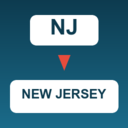
Expand 2-letter US state codes (e.g. NJ) to full state names (e.g. New Jersey) in Gravity Forms Address merge tags.
Connect WPForms to GoHighLevel (GHL). Send every WPForms entry to GHL CRM as a contact, with location routing and tags. Works with WPForms Lite and Pr …
Email the press office, client or author the moment their post goes live, with the direct link. No newsletter, no list: one recipient per post.
CHOOSE WHAT YOUR WEBSITE NEEDS
Start with the task you need to solve. Compare features, WordPress and PHP requirements, update history and the author’s documentation. Test changes on a private copy and avoid adding several plugins for the same job.
This independent directory displays plugin information on WebFulHost and links to the official source. Packages are not mirrored or installed here. A plugin can include paid extensions or services with separate terms from its author.