

High-converting popup campaigns with PopupKit – advanced triggers, A/B testing, spin-to-win, multistep popups & 270+ popup templates for WordPress
★ 5.0/5 (7)60,000+ active installations
- Version
- 2.3.11
- WordPress
- 6.2+
- PHP
- 7.4+
- Updated
- 24 Nov 2026
WORDPRESS RESOURCES
Explore public plugin information from the official WordPress.org directory. Compare what a plugin does, its requirements and update history before adding it to your website.
Explore WordPress hosting →1,476 matching plugins reported by WordPress.org · Page 7 of 50
Source: WordPress.org
Data refreshed 28 Nov 2026 02:44 UTC
High-converting popup campaigns with PopupKit – advanced triggers, A/B testing, spin-to-win, multistep popups & 270+ popup templates for WordPress

By PI Web Solution
Disable payment method for WooCommerce, Charge WooCommerce Payment processing fees, Take Partial payment for Order, Advance COD or Partial payment for …

By fabiodalez
Free cookie consent with GDPR, CCPA, ePrivacy, Google Consent Mode v2, IAB TCF v2.3, and built-in Cookie Policy generator. No cloud required.
By theme funda
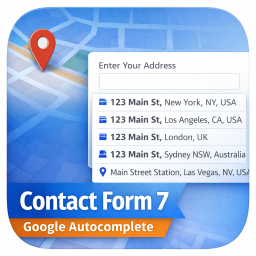
Add a Google Address Autocomplete field to Contact Form 7 forms. Powered by Google Places API for real-time address suggestions and accurate data coll …

By Md Nishath Khandakar
The #1 Google Address Autocomplete for WordPress. Point-and-click setup, no coding. Works with WooCommerce, CF7, WPForms, Gravity Forms & Elementor.
Set conditions for WooCommerce shipping methods to show up.

By VillaTheme
Display recent orders as popup notifications, boosting conversion rates by showing real-time purchase, creating urgency, and showcasing new products.

By Sean Voss
Trusted by more than 20,000 businesses, TaxJar’s award-winning solution makes it easy to automate sales tax reporting and filing, and determine econom …

By OmnisWP
The complete events calendar, free: recurring events, six views, maps, tickets and RSVP with no platform fee. No Pro version, nothing locked.
A flexible discount system for WooCommerce. Create tiered coupons, conditional promotions, and user-specific discounts with ease.

By Shamalli
A WordPress directory plugin for business listings with bookings: categories, locations, fields, maps, free-time search and AI writing.

By Sharabindu Bakshi
Build QR codes with a Gutenberg blocks, shortcodes, and auto-generation. No external APIs or dependencies.
CHOOSE WHAT YOUR WEBSITE NEEDS
Start with the task you need to solve. Compare features, WordPress and PHP requirements, update history and the author’s documentation. Test changes on a private copy and avoid adding several plugins for the same job.
This independent directory displays plugin information on WebFulHost and links to the official source. Packages are not mirrored or installed here. A plugin can include paid extensions or services with separate terms from its author.

