Build photo galleries, image galleries, and portfolio grids with gallery blocks. Masonry, lightbox, sliders, and filters included.
★ 4.8/5 (343)50,000+ active installations
- Version
- 3.11.0
- WordPress
- 6.2+
- PHP
- 8.3+
- Updated
- 17 Nov 2026
WORDPRESS RESOURCES
Explore public plugin information from the official WordPress.org directory. Compare what a plugin does, its requirements and update history before adding it to your website.
Explore WordPress hosting →647 matching plugins reported by WordPress.org · Page 7 of 50
Source: WordPress.org
Data refreshed 22 Nov 2026 10:40 UTC
Build photo galleries, image galleries, and portfolio grids with gallery blocks. Masonry, lightbox, sliders, and filters included.
Create a responsive Blog Filter Post Grid to showcase posts. Let visitors filter by Category or Tag easily using Ajax. Supports Elementor and Divi.

By FARAZFRANK
Build a responsive filter gallery for your portfolio. Organize images with filters in a stunning grid or masonry layout easily.
63 creative widgets for Elementor plus a template library of 587 ready-made sections and 12 complete websites, all free.
By getflowpaper
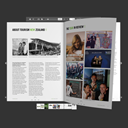
Embed your PDFs with ease. All you need : [flipbook pdf="https://flowpaper.com/example.pdf"]
An easy to use lightbox/thickbox clone for WordPress. Prettyphoto Elementor Addon supports

By NikHiL Gadhiya
Product Video Gallery for Woocommerce – Embed videos to product gallery along with images on product single page of WooCommerce.

By Thomas Geiger
Advanced tag management for WordPress with Google Tag Manager

By THRIVE - Web Design Gold Coast
A WooCommerce product gallery built with PhotoSwipe and Slick carousel — responsive, touch-friendly, and easy to customise.

WordPress gallery plugin for photographers. Create fast, responsive image galleries with Masonry, Justified, Grid, Lightbox, and Infinite Scroll.
Responsive sliders from images, posts, WooCommerce, videos or blocks — or start from 100+ ready-made templates. Block editor & shortcode.

By Serhii Pasyuk
Gmedia Gallery - photo gallery with comments, show EXIF & Metadata, gallery with map geolocation (GPS), private galleries.
CHOOSE WHAT YOUR WEBSITE NEEDS
Start with the task you need to solve. Compare features, WordPress and PHP requirements, update history and the author’s documentation. Test changes on a private copy and avoid adding several plugins for the same job.
This independent directory displays plugin information on WebFulHost and links to the official source. Packages are not mirrored or installed here. A plugin can include paid extensions or services with separate terms from its author.