
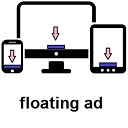
Floating Ads Bottom
By Aby Rafa
Show floating adsense at the bottom of your visitor screen, increase CTR with The Floating Ads at the bottom Wordpress Plugin.
★ 4.4/5 (7)2,000+ active installations
- Version
- 1.0.4
- WordPress
- 4.0.0+
- Updated
- 17 Apr 2025
WORDPRESS RESOURCES
Explore public plugin information from the official WordPress.org directory. Compare what a plugin does, its requirements and update history before adding it to your website.
Explore WordPress hosting →352 matching plugins reported by WordPress.org · Page 7 of 30
Source: WordPress.org
Data refreshed 23 Nov 2026 01:11 UTC
By Aby Rafa
Show floating adsense at the bottom of your visitor screen, increase CTR with The Floating Ads at the bottom Wordpress Plugin.

By Brainstorm Force
Cookie consent banner with real browser scanning, script blocking, Google Consent Mode, GDPR/CCPA consent logs, and a cookie policy page.

By Strategy11 Team
Create a classified listings directory, from auto listings to yard sales with AWP Classifieds plugin.
WordPress block editor Toolkit: responsive controls, blocks, icons, animations, pattern library. Modular design, fast, no coding skills required.

By Klix Soft Private Limited
Block Ads Blocker Extensions and Increase your revenue by using Ads Blocker Detector Plugin
Simplify site management with Login/Logout Redirect, Hide Admin Bar, Disable Comments, Header Footer Scripts and Remove Footer Credit.

By Randy Breland
Ad manager, monetization & AdSense tracking for WordPress. Banner ads, AdSense/custom code, groups, rotation, shortcodes & REST API—Premium-ready.

By merqde
Blog-Monetarisierung mit AdWol – kontextbezogene Werbung als Alternative zu Google AdSense.

By Wutime
AutoAds Premiere allows you to quickly display advertisements on your website.

By Webilia Inc.
Easily monetize your Listdom directory by displaying ads (Google AdSense, affiliate banners, HTML content, shortcodes) on listing detail pages.

By Rasel Ahmed
Easily create sticky blocks or widgets on your WordPress site with full customization.
A powerful tool to manage your ads in WordPress easily. Easy way to embed Google AdSense and other kinds of ad. Cool features and beautiful UI/UX.
CHOOSE WHAT YOUR WEBSITE NEEDS
Start with the task you need to solve. Compare features, WordPress and PHP requirements, update history and the author’s documentation. Test changes on a private copy and avoid adding several plugins for the same job.
This independent directory displays plugin information on WebFulHost and links to the official source. Packages are not mirrored or installed here. A plugin can include paid extensions or services with separate terms from its author.


