Admin Menu Editor
By Janis Elsts
Lets you edit the WordPress admin menu. You can re-order, hide or rename menus, add custom menus and more.
★ 4.6/5 (312)300,000+ active installations
- Version
- 1.15.3
- WordPress
- 5.9+
- PHP
- 7.4+
- Updated
- 16 Nov 2026
WORDPRESS RESOURCES
Explore public plugin information from the official WordPress.org directory. Compare what a plugin does, its requirements and update history before adding it to your website.
Explore WordPress hosting →6,294 matching plugins reported by WordPress.org · Page 7 of 50
Source: WordPress.org
Data refreshed 19 Nov 2026 22:45 UTC
By Janis Elsts
Lets you edit the WordPress admin menu. You can re-order, hide or rename menus, add custom menus and more.

By Naked Cat Plugins
Hide other WooCommerce shipping methods per zone when Free Shipping or Flat Rate is active. Supports per-instance control and shipping class rules.

By megamenu
An easy to use mega menu plugin. Written the WordPress way.

By Themefic
50+ Essential Addons for Contact Form 7 - Conditional Fields, Multi Step, Redirection, Columns, WooCommerce, Mailchimp & more

By Jose Vega
Hide header on single post pages.
By add-ons.org
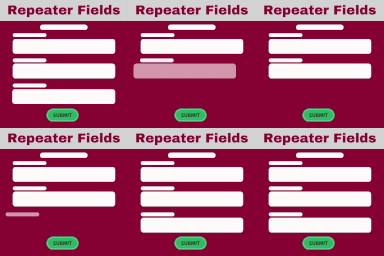
The Repeater Fields for Elementor Forms allow you to create one or more sets of fields that can be repeated.
90+ Elementor widgets & addons, 600+ templates, Mega Menu, WooCommerce, Display Conditions. The only Elementor addon AI agents can fully build with.
Hide prices and the add to cart button for logged-out users, show a "Log in to view prices" message, or make your WooCommerce store private.

By Link Nacional
Brazilian checkout fields: CPF/CNPJ, address number, neighborhood and phone, with automatic CEP address pre-filling and much more for WooCommerce.
AI Events Calendar plugin for creating free or paid events. Supports Event Types, Bookings, Tickets, Venues, Performers, AI abilities, and a lot more.

By Spacetime
Manage Google AdSense ads, banners, ad rotation, sticky widgets, AMP ads, ads.txt, tracking, header and footer code, PHP code, global custom fields

By StaxWP
Display Conditions for Elementor: show or hide widgets and sections by user role, ACF fields, device type, date & time, browser and more.
CHOOSE WHAT YOUR WEBSITE NEEDS
Start with the task you need to solve. Compare features, WordPress and PHP requirements, update history and the author’s documentation. Test changes on a private copy and avoid adding several plugins for the same job.
This independent directory displays plugin information on WebFulHost and links to the official source. Packages are not mirrored or installed here. A plugin can include paid extensions or services with separate terms from its author.