Disable weekends, past dates and holidays in the Gravity Forms date picker, add date filters and unique IDs - without writing code.
★ 5.0/5 (1)50+ active installations
- Version
- 1.2
- WordPress
- 5.1+
- PHP
- 7.0+
- Updated
- 22 Sep 2026
WORDPRESS RESOURCES
Explore public plugin information from the official WordPress.org directory. Compare what a plugin does, its requirements and update history before adding it to your website.
Explore WordPress hosting →375 matching plugins reported by WordPress.org · Page 7 of 32
Source: WordPress.org
Data refreshed 29 Nov 2026 09:44 UTC
Disable weekends, past dates and holidays in the Gravity Forms date picker, add date filters and unique IDs - without writing code.
Let patients book a doctor online. Real free times, reminder emails, a cancel link, and a bookings dashboard for your clinics. Free, no limits.

By Monica Haught
Add a festive Santa Claus Christmas countdown to your WordPress sidebar, posts or pages. Automatically resets every year!

By hbcode
Display Hebrew dates, Parasha, zmanim and an interactive monthly Hebrew calendar via shortcodes and Elementor widgets.

By saigamo
Simple facility event calendar. Closed weekdays, optional public holidays (off by default), manual holidays, shortcode.
Let customers pick delivery or pickup date, time, and instructions on cart or checkout, with rules, reminders, and analytics for WooCommerce.
Manage real-time bookings with ease. Multi-step booking form, multiple services and locations, built-in customer dashboard.

By videsigner2026
Free Christmas calendar with 24/25 movable doors, Danish/English interface, QR test link, and your own or included holiday backgrounds.

By WPClever
WPC Product Timer helps you add many actions for the product based on the conditionals of the time.

By clicktarot
The booking calendar built by a tarot reader, for tarot readers and holistic practitioners.
By tharkun69
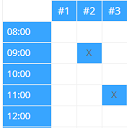
Create configurable occupancy schedules and let visitors view, request and manage bookings directly in the WordPress frontend.

By REVENTOR
Privacy-first appointment booking for WordPress with real two-way CalDAV/Nextcloud sync, a polished booking widget, and a clean admin experience.
CHOOSE WHAT YOUR WEBSITE NEEDS
Start with the task you need to solve. Compare features, WordPress and PHP requirements, update history and the author’s documentation. Test changes on a private copy and avoid adding several plugins for the same job.
This independent directory displays plugin information on WebFulHost and links to the official source. Packages are not mirrored or installed here. A plugin can include paid extensions or services with separate terms from its author.