Reading controls your visitors set for themselves, in any theme. No account, no CDN, no tracking, no branding. Not an overlay.
200+ active installations
- Version
- 1.2.3
- WordPress
- 6.2+
- PHP
- 7.4+
- Updated
- 11 Nov 2026
View plugin details ↗See each other's mouse cursors moving around wp-admin in real time: who's on the same screen, what they point at, click and type in.
0+ active installations
- Version
- 1.0.0
- WordPress
- 6.2+
- PHP
- 7.4+
- Updated
- 20 Oct 2026
View plugin details ↗Free WordPress accessibility toolbar with 14 features, an accessibility audit for your posts, WCAG code fixes, contrast checker. Not an overlay.
70+ active installations
- Version
- 1.0.7
- WordPress
- 5.8+
- PHP
- 7.4+
- Updated
- 20 Aug 2026
View plugin details ↗Record, edit and publish audio directly from your WordPress site.
★ 3.0/5 (2)100+ active installations
- Version
- 4.1.6
- WordPress
- 5.8+
- PHP
- 7.4+
- Updated
- 17 Jul 2026
View plugin details ↗360° virtual tours with info hotspots, panoramas, 360° video and AR 3D models. Free, unlimited, no watermark. Block, Elementor or shortcode.
★ 3.5/5 (2)600+ active installations
- Version
- 2.4.1
- WordPress
- 5.0+
- PHP
- 7.4+
- Updated
- 21 Nov 2026
View plugin details ↗Supercharge your Elementor website with 51 unique widgets and 10 powerful extensions — all completely free.
★ 5.0/5 (2)10+ active installations
- Version
- 2.2.10
- WordPress
- 5.8+
- PHP
- 7.4+
- Updated
- 20 Nov 2026
View plugin details ↗A wrapper plugin for the Nicescroll library with full customization options for both frontend and backend.
★ 4.9/5 (7)20+ active installations
- Version
- 1.1.1
- WordPress
- 5.6+
- PHP
- 7.4+
- Updated
- 21 Oct 2026
View plugin details ↗Accessibility toolbar with 11 tools and 7 automatic fixes. WCAG 2.2 oriented, 100% free, no limitations.
20+ active installations
- Version
- 1.0.1
- WordPress
- 6.0+
- PHP
- 8.1+
- Updated
- 24 Jun 2026
View plugin details ↗Professional WordPress accessibility widget with 40+ features: WCAG tools, visual adjustments, reading aids, dyslexia mode, compliance support.
★ 5.0/5 (1)10+ active installations
- Version
- 1.6.6
- WordPress
- 6.0+
- PHP
- 7.4+
- Updated
- 3 Mar 2026
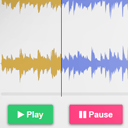
View plugin details ↗Customizable HTML5 Audio controller with waveform preview (mixed or split channels), using WordPress native audio and playlist shortcode.
★ 5.0/5 (11)400+ active installations
- Version
- 2.8.4
- WordPress
- 4.0+
- Updated
- 4 Feb 2026
View plugin details ↗Embed shared Google Photos and Apple iCloud albums directly from the source, without uploading copies to WordPress.
★ 4.9/5 (11)600+ active installations
- Version
- 3.0.12
- WordPress
- 5.5+
- PHP
- 7.0+
- Updated
- 23 Nov 2026
View plugin details ↗Collect new leads, manage clients, quotations, invoices, tasks and more for your entire team.
★ 5.0/5 (2)10+ active installations
- Version
- 1.2.8
- WordPress
- 6.1+
- Updated
- 20 May 2026
View plugin details ↗