By Weblizar - WordPress Themes & Plugin
Lightbox slider plugin is allow users to view larger versions of images, simple slide shows and Gallery view with Responsive grid layout.
★ 4.7/5 (24)3,000+ active installations
- Version
- 1.10.8
- Updated
- 11 Sep 2026
View plugin details ↗Free Elementor map widget powered by OpenStreetMap: markers, shapes, routes along roads, markers from posts and 27 map styles.
★ 4.5/5 (8)8,000+ active installations
- Version
- 1.6.0
- WordPress
- 6.8+
- PHP
- 7.4+
- Updated
- 19 Nov 2026
View plugin details ↗WhatsApp chat, Facebook Messenger, Telegram, TikTok, Instagram, Email, Line, WeChat Phone call, SMS, 20+ live chat icons & WhatsApp chat pop up 💬
★ 5.0/5 (1,248)300,000+ active installations
- Version
- 3.6.5
- WordPress
- 4.7+
- Updated
- 26 Nov 2026
View plugin details ↗All-in-one products search and filtering solution for your WooCommerce shop with rich features and customization options.
★ 4.8/5 (44)1,000+ active installations
- Version
- 1.8.5
- WordPress
- 6.3+
- PHP
- 7.4+
- Updated
- 9 Oct 2026
View plugin details ↗Animated Number Counters is a lightweight, responsive, and mobile-friendly WordPress plugin that boasts extraordinary design.
★ 3.4/5 (5)2,000+ active installations
- Version
- 3.2
- WordPress
- 6.0+
- PHP
- 7.5+
- Updated
- 25 Oct 2026
View plugin details ↗Turn PDF files into interactive flipbooks or scrollable viewers and display them on WordPress pages or posts using shortcodes.
★ 4.8/5 (103)5,000+ active installations
- Version
- 3.0.0
- WordPress
- 6.0+
- PHP
- 7.4+
- Updated
- 20 Nov 2026
View plugin details ↗Use Font Awesome icons for custom post types and custom menu pages.
★ 4.2/5 (5)100+ active installations
- Version
- 10.1.0
- WordPress
- 4.4+
- PHP
- 8.2+
- Updated
- 15 Oct 2026
View plugin details ↗Multi-language supported Team Members - Team with Slide is the best plugins to display unlimited team in Carouse and Grid view.
★ 5.0/5 (85)6,000+ active installations
- Version
- 9.6
- WordPress
- 6.0+
- PHP
- 7.0+
- Updated
- 17 Nov 2026
View plugin details ↗The Materialis Companion plugin adds drag and drop page builder functionality to the Materialis theme.
★ 4.7/5 (10)5,000+ active installations
- Version
- 1.3.59
- WordPress
- 7.0+
- Updated
- 26 Nov 2026
View plugin details ↗Design and display custom buttons anywhere on your site. Add floating or inline buttons with icons, advanced targeting, and built-in analytics.
★ 4.3/5 (18)4,000+ active installations
- Version
- 3.2.7
- WordPress
- 5.5+
- PHP
- 7.4+
- Updated
- 18 Sep 2026
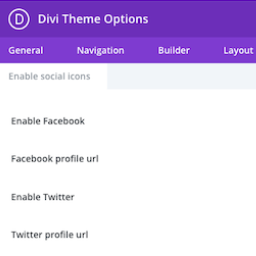
View plugin details ↗This plugin adds the ability to add more social icons to your website when using the Divi theme.
★ 5.0/5 (4)1,000+ active installations
- Version
- 1.8.1
- WordPress
- 5.1+
- PHP
- 5.4+
- Updated
- 7 May 2026
View plugin details ↗
By Weblizar - WordPress Themes & Plugin
Newsletter Subscription Form for WordPress is the ultimate lead generation, customer acquisition and email marketing plugin to grow and engage your ma …
★ 4.3/5 (6)1,000+ active installations
- Version
- 1.5.9
- WordPress
- 5.0+
- PHP
- 7.4+
- Updated
- 11 Sep 2026
View plugin details ↗