Effortlessly disable all comments and trackback functionality across your entire WordPress site by activating this plugin.
500+ active installations
- Version
- 0.5.0
- WordPress
- 5.8+
- PHP
- 7.4+
- Updated
- 9 Sep 2026
View plugin details ↗A live, fast, privacy-focused commenting system with advanced spam prevention capabilities. FastComments prioritizes speed and user experience above a …
★ 5.0/5 (5)30+ active installations
- Version
- 3.19.11
- WordPress
- 4.6+
- PHP
- 5.2.5+
- Updated
- 2 Nov 2026
View plugin details ↗Manage multiple WordPress sites from one dashboard.
★ 4.2/5 (5)30,000+ active installations
- Version
- 4.0.3.1
- WordPress
- 6.4+
- PHP
- 7.0+
- Updated
- 19 Nov 2026
View plugin details ↗Free EU consumer-rights toolkit: withdrawal function, harmonised legal guarantee notice (GARAN), checkout consents, Article 16 exclusions.
★ 5.0/5 (17)2,000+ active installations
- Version
- 2.4.3
- WordPress
- 6.0+
- PHP
- 7.4+
- Updated
- 26 Nov 2026
View plugin details ↗Secure WordPress MCP server: connect Claude, ChatGPT, Cursor & AI agents to 772 MCP tools for WooCommerce, SEO, page builders, approvals & Undo.
★ 5.0/5 (11)10,000+ active installations
- Version
- 1.5.11
- WordPress
- 6.9+
- PHP
- 7.4+
- Updated
- 27 Nov 2026
View plugin details ↗Accept online donations with fundraising campaigns, donation forms, donor management, Stripe, PayPal, and offline payments.
★ 5.0/5 (1)5,000+ active installations
- Version
- 1.7.3
- WordPress
- 6.4+
- PHP
- 8.0+
- Updated
- 26 Nov 2026
View plugin details ↗The easiest and fastest Email Marketing, Newsletter, Marketing Automation Plugin & CRM Solution for WordPress
★ 4.8/5 (251)80,000+ active installations
- Version
- 3.3.5
- WordPress
- 6.0+
- PHP
- 7.4+
- Updated
- 20 Nov 2026
View plugin details ↗All the power of WordPress, without a blog.
★ 4.7/5 (14)20,000+ active installations
- Version
- 0.5.6
- WordPress
- 5.9+
- PHP
- 7.4+
- Updated
- 15 Nov 2026
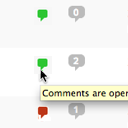
View plugin details ↗Conveniently close or open comments for a post or page with one click from the admin listing of posts.
★ 4.9/5 (10)5,000+ active installations
- Version
- 3.0
- WordPress
- 4.7+
- Updated
- 17 Apr 2025
View plugin details ↗CMB2 is a metabox, custom fields, and forms library for WordPress that will blow your mind.
★ 5.0/5 (91)300,000+ active installations
- Version
- 2.13.5
- WordPress
- 3.8.0+
- PHP
- 7.4+
- Updated
- 27 Oct 2026
View plugin details ↗WPC Admin Columns offers a listing of columns in the admin dashboards for different post-types.
★ 5.0/5 (4)1,000+ active installations
- Version
- 2.3.9
- WordPress
- 5.9+
- Updated
- 26 Nov 2026
View plugin details ↗Connect Claude, ChatGPT or any AI app to WordPress. Drafts only mode, access levels per app and a 72-hour undo. 400+ tools, self-hosted.
★ 5.0/5 (7)10,000+ active installations
- Version
- 2.0.2
- WordPress
- 5.8+
- PHP
- 7.4+
- Updated
- 27 Nov 2026
View plugin details ↗