No API key is required to launch Google Maps & OpenStreetMap.
★ 4.0/5 (21)20,000+ active installations
- Version
- 3.2.1
- WordPress
- 6.5+
- PHP
- 7.4+
- Updated
- 2 Nov 2026
WORDPRESS RESOURCES
Explore public plugin information from the official WordPress.org directory. Compare what a plugin does, its requirements and update history before adding it to your website.
Explore WordPress hosting →4,705 matching plugins reported by WordPress.org · Page 8 of 50
Source: WordPress.org
Data refreshed 26 Nov 2026 08:28 UTC
No API key is required to launch Google Maps & OpenStreetMap.
WordPress two-factor (2FA) authentication with Google Authenticator, Passkey, Email/SMS OTP, Push Notification. Free for unlimited users.
Pixel Tag Manager for WooCommerce is a powerful plugin to monitor eCommerce events with seamless integration. Track Google Analytics 4, Google Ads, Bi …
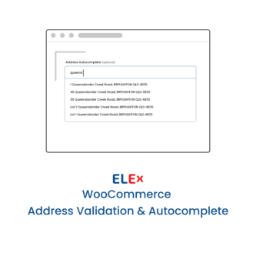
Simple and easy to use address validation & google address autocomplete plugin. Uses EasyPost, UPS, USPS, AddressFinder & Google APIs.

By ThemeAtelier
Google Business Review Showcase Plugin - Easily Show Your Google Business Reviews On Your Website

By Tijmen Smit
Free store locator with OpenStreetMap maps and no API key. Or use Google Maps, Mapbox or Stadia Maps. Unlimited locations, custom fields and markers.
AI powered meta, clustering, content, schema & rank tracking, plus an AI website builder - the AI SEO weapon most WordPress users haven't found yet.

By ZealousWeb
Smart Showcase for Google Reviews is a WordPress plugin that lets businesses display Google customer reviews on their websites easily.

By Cool Plugins
Connect Elementor forms with Google Sheets to sync form entries, or save form submissions in any post type using Elementor Pro or Hello Plus forms.
Free WooCommerce dashboard & sales report: recover abandoned carts, order export, Google Sheets sync, ROAS, bulk edit & inventory management

By Ben Sibley
A simple, yet powerful WordPress analytics plugin that gives you privacy-friendly stats to grow your website. A Google Analytics alternative.

By megamenu
An easy to use mega menu plugin. Written the WordPress way.
CHOOSE WHAT YOUR WEBSITE NEEDS
Start with the task you need to solve. Compare features, WordPress and PHP requirements, update history and the author’s documentation. Test changes on a private copy and avoid adding several plugins for the same job.
This independent directory displays plugin information on WebFulHost and links to the official source. Packages are not mirrored or installed here. A plugin can include paid extensions or services with separate terms from its author.