Get more shares on social: add one-click shareable quote boxes to any post so readers can share your best lines on Social Media in one click.
★ 4.8/5 (48)6,000+ active installations
- Version
- 6.0.1
- WordPress
- 3.8+
- Updated
- 3 Sep 2026
WORDPRESS RESOURCES
Explore public plugin information from the official WordPress.org directory. Compare what a plugin does, its requirements and update history before adding it to your website.
Explore WordPress hosting →10,000 matching plugins reported by WordPress.org · Page 8 of 50
Source: WordPress.org
Data refreshed 25 Nov 2026 01:37 UTC
Get more shares on social: add one-click shareable quote boxes to any post so readers can share your best lines on Social Media in one click.
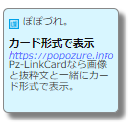
By ぽぽろん@ぽぽづれ。
Display internal and external links as customizable cards with titles, excerpts, and thumbnails. Display links as blog cards.
Complete link health monitoring for WordPress. Find broken links, fix redirect chains, optimize internal linking, and improve SEO performance.

By David Shanske
Link to copies of your cross-posted content in other social networks or websites.

Passwordless login for WordPress. Streamline the login process by sending magic links to your users.
Duplicate post, post order, image resize, email via SMTP, admin menu editor, custom css / code, disable gutenberg and much more in a single plugin.

By manuelzela
Safely search and replace links, URLs, or any text across your WordPress database — including serialized data — with a dry-run preview and CSV log.
Quick and Easy way to search all URLS, Content and replace them with new links and content in WordPress website.

By Hem Thapa
A lightweight plugin to allows admins to create a admin dashboard widget with frequently accessed links for quick access.

By ResponsiveVoice
Text to speech for WordPress. Add a Listen button or an article player that reads posts and pages aloud, in 51 languages through 158 voices.
Automatically post and schedule your WordPress content to Facebook, X/Twitter, LinkedIn, Threads, Bluesky, and more social networks using Buffer.

By Jose Mortellaro
It shows you a password reset link in the user profile page and in the users list page.
CHOOSE WHAT YOUR WEBSITE NEEDS
Start with the task you need to solve. Compare features, WordPress and PHP requirements, update history and the author’s documentation. Test changes on a private copy and avoid adding several plugins for the same job.
This independent directory displays plugin information on WebFulHost and links to the official source. Packages are not mirrored or installed here. A plugin can include paid extensions or services with separate terms from its author.