Customize the WordPress login screen: logo, background, login form & links. Plus your own admin footer text.
★ 4.9/5 (150)7,000+ active installations
- Version
- 5.0
- WordPress
- 5.3+
- PHP
- 5.6+
- Updated
- 9 Nov 2026
View plugin details ↗Create unlimited notifications, announcements, or notices for your visitors
★ 4.8/5 (10)3,000+ active installations
- Version
- 2.2.9
- WordPress
- 5.0+
- PHP
- 5.6+
- Updated
- 15 Oct 2026
View plugin details ↗Add self-hosted, YouTube, or Vimeo video backgrounds with customizable overlays and responsive controls.
★ 4.5/5 (4)2,000+ active installations
- Version
- 3.0.0
- WordPress
- 6.5+
- PHP
- 7.4+
- Updated
- 21 Nov 2026
View plugin details ↗Boost trust and conversions with beautiful sales notification popups. Show recent purchases as social proof, with or without WooCommerce.
★ 3.9/5 (16)8,000+ active installations
- Version
- 1.3.2
- Updated
- 24 Sep 2026
View plugin details ↗The plugin "Flexible Editor Panel" makes the Elementor editor panel flexible, draggable, resizable, foldable and adds many productivity features.
★ 4.9/5 (74)20,000+ active installations
- Version
- 2.6.1
- WordPress
- 5.9+
- PHP
- 7.4+
- Updated
- 9 Feb 2026
View plugin details ↗Simple plugin that allow you add accessibility button to your website
★ 5.0/5 (9)900+ active installations
- Version
- 2.3.1
- WordPress
- 5.0+
- PHP
- 5.2.4+
- Updated
- 13 Aug 2026
View plugin details ↗Responsive, lightweight, and fully customizable accordion plugin for WordPress. Perfect for FAQs, content organization, and improving user experience.
★ 4.6/5 (11)1,000+ active installations
- Version
- 4.0.1
- WordPress
- 4.8.0+
- PHP
- 7.4+
- Updated
- 24 Oct 2026
View plugin details ↗This plugin will help you display Facebook Comments on your website. You can use it on your pages/posts.
★ 4.3/5 (42)7,000+ active installations
- Version
- 2.6.9
- WordPress
- 2.9+
- Updated
- 2 Feb 2026
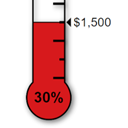
View plugin details ↗Displays a fully customisable thermometer for tracking donations or any other goal.
★ 4.4/5 (12)2,000+ active installations
- Version
- 2.3.0
- WordPress
- 5.0.3+
- PHP
- 7.0+
- Updated
- 7 Oct 2026
View plugin details ↗Accessibility toolbar for WordPress in 44 languages: one-click setup, statement generator, no account, no visitor data. Helps with WCAG and the EAA.
★ 4.9/5 (80)60,000+ active installations
- Version
- 2.15.0
- WordPress
- 6.6+
- PHP
- 7.4+
- Updated
- 19 Nov 2026
View plugin details ↗Add watermarks to WooCommerce product images to protect your content and promote your brand.
★ 3.7/5 (55)2,000+ active installations
- Version
- 3.3
- WordPress
- 5.0+
- PHP
- 7.4+
- Updated
- 17 Nov 2026
View plugin details ↗Turn WooCommerce variation dropdowns into color, image, label and radio button swatches. The original Variation Swatches for WooCommerce.
★ 3.7/5 (59)40,000+ active installations
- Version
- 2.2.10
- WordPress
- 4.5+
- Updated
- 16 Nov 2026
View plugin details ↗