
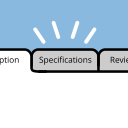
Custom Product Tabs for WooCommerce
By Evan Herman
Add custom tabs with content to products in WooCommerce.
★ 4.4/5 (163)70,000+ active installations
- Version
- 1.8.6
- WordPress
- 3.8+
- PHP
- 7.4+
- Updated
- 12 Apr 2025
WORDPRESS RESOURCES
Explore public plugin information from the official WordPress.org directory. Compare what a plugin does, its requirements and update history before adding it to your website.
Explore WordPress hosting →1,989 matching plugins reported by WordPress.org · Page 8 of 50
Source: WordPress.org
Data refreshed 23 Nov 2026 20:06 UTC
By Evan Herman
Add custom tabs with content to products in WooCommerce.
WooCommerce 3D product viewer and 3D model viewer with free AR. Rotate, zoom, place in room. GLB, glTF, OBJ, STL. Block, Elementor, shortcode.

By WP Chill
Powerful Download Manager Plugin for WordPress

By Gaurav Tiwari
Branded redirects with click analytics, GA4 and analytics plugin integrations, Novashare short links, country targeting, and block editor tools.

Upsell popup after add to cart, frequently bought together and a cart drawer with cross-sells. Shoppers add a second product in one click.
Easily change WooCommerce product author ownership. Bulk transfer product authors, manage permissions, and display frontend author cards.
By akshayaswaroop
Search orders by product on the WooCommerce Orders screen. Filter orders by variation, category, SKU, payment method, shipping or country.

By Kleor
Allows you to create and manage your contact forms and messages.

By BeRocket
Force Sell for WooCommerce plugin allows you to link products to another product, so they are added to the cart together.

By Krzysztof Planeta
Set up consent management and tracking tools in minutes instead of days. Integrations with Google Analytics, Google Ads, Meta Pixel, GTM, and more.

By Creame
The most installed WordPress plugin for WhatsApp: a customizable floating button that turns your visitors into chats, leads and sales.
Manage 301, 302, and 307 redirects from inside WordPress — no .htaccess needed. Track 404 errors, fix broken links, and protect your SEO.
CHOOSE WHAT YOUR WEBSITE NEEDS
Start with the task you need to solve. Compare features, WordPress and PHP requirements, update history and the author’s documentation. Test changes on a private copy and avoid adding several plugins for the same job.
This independent directory displays plugin information on WebFulHost and links to the official source. Packages are not mirrored or installed here. A plugin can include paid extensions or services with separate terms from its author.


