Custom Login URL
By Greg Winiarski
Whitelabel your site by hiding wp-login.php in the login and registration URLs
★ 3.8/5 (18)1,000+ active installations
- Version
- 1.0.3
- WordPress
- 6.0+
- Updated
- 15 Sep 2025
WORDPRESS RESOURCES
Explore public plugin information from the official WordPress.org directory. Compare what a plugin does, its requirements and update history before adding it to your website.
Explore WordPress hosting →6,202 matching plugins reported by WordPress.org · Page 8 of 50
Source: WordPress.org
Data refreshed 25 Nov 2026 17:17 UTC
By Greg Winiarski
Whitelabel your site by hiding wp-login.php in the login and registration URLs

By Aleksandr Samokhin
Redirect Cleanup is a powerful tool that helps you identify and fix redirect issues in your WordPress site, specifically designed to work with Yoast S …
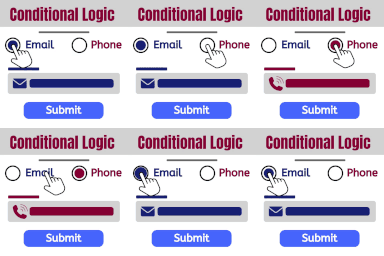
Show and hide fields. Send certain email, don't send others. Redirect to one of many pages. The possibilities are endless!
Convert Cyrillic and Georgian URLs and file names to Latin. Works for all post types, pages, and terms. Custom characters, URL redirects & more.

By healomax
Transform your WooCommerce 'Thank You' page into a powerful marketing tool with custom redirects, WhatsApp integration, and secure temporary links.

By digieyedesigns
Create, manage, and track URL redirects from a fast, modern admin interface. By Digi Eye Designs.

By edo888
Translate WordPress with Google Translate multilanguage plugin using AI translation. Complete multilingual SEO solution, WooCommerce compatible.

By Huzaifa Al Mesbah
A simple plugin to redirect users to a custom URL after they log out of WordPress.

By storeapps
Create shareable WooCommerce coupon links that automatically apply discounts via URL. Perfect for email, social media, and marketing campaigns.

The easiest URL shortener, short links manager, and link tracking plugin. Fast and optimised for better redirects, affiliate links and click tracking.

By WebFactory
Internal links & external links manager: open in new window or tab, control nofollow, ugc, sponsored & noopener. SEO friendly.
Wp social lets you add social login, social counter, and social share buttons of different styles to your WordPress website.
CHOOSE WHAT YOUR WEBSITE NEEDS
Start with the task you need to solve. Compare features, WordPress and PHP requirements, update history and the author’s documentation. Test changes on a private copy and avoid adding several plugins for the same job.
This independent directory displays plugin information on WebFulHost and links to the official source. Packages are not mirrored or installed here. A plugin can include paid extensions or services with separate terms from its author.