

Show variations as single product on shop, product category and search result page.
★ 4.8/5 (17)1,000+ active installations
- Version
- 4.1.12
- WordPress
- 5.0+
- PHP
- 7.4+
- Updated
- 18 Nov 2026
WORDPRESS RESOURCES
Explore public plugin information from the official WordPress.org directory. Compare what a plugin does, its requirements and update history before adding it to your website.
Explore WordPress hosting →697 matching plugins reported by WordPress.org · Page 8 of 50
Source: WordPress.org
Data refreshed 23 Nov 2026 19:06 UTC
Show variations as single product on shop, product category and search result page.
By ELEXtensions
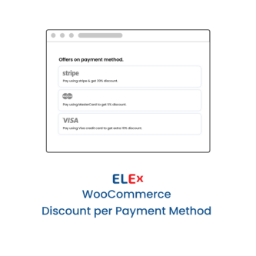
It will be a pleasant little surprise for customers if you offer a discount based on the payment method they have chosen on the Checkout page.
Create Announcement Bars, Notification Bars & Popup Campaigns with countdown timers, A/B testing, smart targeting & analytics.
Replaces WooCommerce search with AI semantic search. Finds products even with natural language queries. No OpenAI key needed. Free forever.
Claude, ChatGPT, Gemini or any AI agent runs your site through MCP and automates any task as a workflow. Automation engine built in.

By ELEXtensions
The plugin lets you set the minimum price for your WooCommerce products globally and individually.
WooCommerce AI agent: a store chatbot for 24/7 AI customer service, and a WooCommerce MCP server for ChatGPT, Claude, Gemini or any LLM.

By Qui Nguyen
WooCommerce tiered pricing & quantity discount plugin: bulk pricing tables, wholesale discounts, live updates, "You Save" labels.

By Karolina Vyskocilova
Payment gateway fees & discounts for WooCommerce: COD surcharges, card fees, fixed or percentage — on every gateway, block checkout included.

By theme funda
Add a Request a Quote or Product Enquiry button to your WooCommerce store and capture B2B leads. Catalog mode in Pro.

By HT Plugins
QuickSwish is an ultimate and exclusive WooCommerce plugin that allows you to create stunning quickview button for your WooCommerce store.

By QuantumCloud
Display Category based Product Listing for WooCommerce in tab format on any page. Woocommerce category list and woocommerce product table.
CHOOSE WHAT YOUR WEBSITE NEEDS
Start with the task you need to solve. Compare features, WordPress and PHP requirements, update history and the author’s documentation. Test changes on a private copy and avoid adding several plugins for the same job.
This independent directory displays plugin information on WebFulHost and links to the official source. Packages are not mirrored or installed here. A plugin can include paid extensions or services with separate terms from its author.



