

Build News, Magazine and Blog websites with Elementor. Create responsive Post Grids, Featured Posts, Sliders, Carousels, Theme Builder templates and W …
★ 5.0/5 (2)200+ active installations
- Version
- 1.1.0
- WordPress
- 6.6+
- PHP
- 7.4+
- Updated
- 15 Oct 2026
WORDPRESS RESOURCES
Explore public plugin information from the official WordPress.org directory. Compare what a plugin does, its requirements and update history before adding it to your website.
Explore WordPress hosting →1,756 matching plugins reported by WordPress.org · Page 9 of 50
Source: WordPress.org
Data refreshed 20 Nov 2026 12:07 UTC
Build News, Magazine and Blog websites with Elementor. Create responsive Post Grids, Featured Posts, Sliders, Carousels, Theme Builder templates and W …

By jetmonsters
40+ Gutenberg Blocks, plus multiple pre-made free block templates for the WordPress block editor.

Featured by WPTuts. Native AI Translation Agent that automatically translates your site with ChatGPT, Claude, Gemini, Grok, DeepSeek, DeepL and more.

By Design
Create beautiful, responsive HTML tables from scratch or convert Excel and CSV files into WordPress tables effortlessly.

By Elliot Sowersby / RelyWP
The most powerful affiliate plugin for WooCommerce. Track commission, generate referral URLs, assign affiliate coupons, and display detailed stats.

By Fahad Murtaza
Editable WordPress tables from JSON, CSV & Google Sheets with sort, search & filters. Pro adds Gravity Forms, Airtable & inline editing.
Create and embed beautiful pricing tables in minutes with 5 built-in templates, custom colors, currency symbols, and shortcode support.
WooCommerce store builder and EDD store builder for Elementor with product grids, widgets, cart, checkout, account pages, filters and sliders.

By wpsqr
Adds 5 free elements to Avada Builder: Tabs, two Timelines, Testimonial and Blockquote. Pro adds 25 more, for 30 in total.
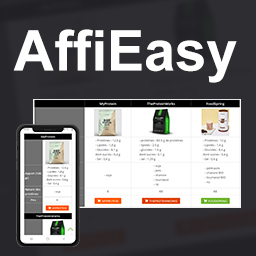
By perrinalexandre05
Create reusable affiliate links and responsive comparison tables from a single WordPress admin interface.

By YITHEMES
YITH WooCommerce Compare allows you to compare more products of your shop in one complete table. WooCommerce Compatible up to 11.3
Gutenberg WooCommerce Builder Blocks. Comes with WooCommerce Template Builder, Product Comparison, Quick View, Wishlist, And Variation Swatches on you …
CHOOSE WHAT YOUR WEBSITE NEEDS
Start with the task you need to solve. Compare features, WordPress and PHP requirements, update history and the author’s documentation. Test changes on a private copy and avoid adding several plugins for the same job.
This independent directory displays plugin information on WebFulHost and links to the official source. Packages are not mirrored or installed here. A plugin can include paid extensions or services with separate terms from its author.


