

Mapthread
By David
Transform your travel stories into interactive map experiences. Upload GPX files, place markers, watch the map follow as readers scroll.
10+ active installations
- Version
- 1.6.2
- WordPress
- 6.3+
- PHP
- 7.4+
- Updated
- 21 May 2026
WORDPRESS RESOURCES
Explore public plugin information from the official WordPress.org directory. Compare what a plugin does, its requirements and update history before adding it to your website.
Explore WordPress hosting →117 matching plugins reported by WordPress.org · Page 9 of 10
Source: WordPress.org
Data refreshed 22 Nov 2026 03:54 UTC
By David
Transform your travel stories into interactive map experiences. Upload GPX files, place markers, watch the map follow as readers scroll.
Firewall, 9 malware scanners, 2FA, country blocking, audit log preview — all free. 750+ WAF rules and 170,000+ signatures. No paywall.

By Peachfin Themes
A focused Markdown editor for WordPress posts, with server-rendered preview and portable output.

By wpurge
Sort Multiple Products at once in WooCommerce using drag and drop.

By Qamar Saqib
Fast drag-and-drop page builder with Theme Builder (header/footer), popups, forms and an optional AI assistant. Works with any theme.

By NewJenk
Encrypted Post Type provides a custom post type where the content of each post is encrypted.

By Rob Art
Keep your original images off the public web, defeat automated scrapers, and add visible watermarks — with a Pro evidence trail for takedowns.
By Mattia Trapani
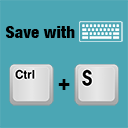
Save everything in the most natural way by pressing Ctrl+S (or Cmd+S on Mac).
A modern recipe plugin with a React admin, multiple layouts, nutrition facts, reviews, favourites, and Recipe structured data for SEO.

By webhead GmbH
Fast, AI-powered search for WordPress and WooCommerce: suggestions as you type, smart filters, an AI shopping assistant and photo search.
Automate WooCommerce orders: send them to Google Sheets and webhooks, email your team or customers, and get alerts when an order gets stuck.

By dpoakaspine
Save posts easier with the keyboard shortcuts.
CHOOSE WHAT YOUR WEBSITE NEEDS
Start with the task you need to solve. Compare features, WordPress and PHP requirements, update history and the author’s documentation. Test changes on a private copy and avoid adding several plugins for the same job.
This independent directory displays plugin information on WebFulHost and links to the official source. Packages are not mirrored or installed here. A plugin can include paid extensions or services with separate terms from its author.


