

HUSKY - WooCommerce Products Filter (former WOOF) – filter by categories, attributes, price and meta fields, with a built-in MCP server
★ 4.6/5 (337)80,000+ active installations
- Version
- 1.4.9
- WordPress
- 6.0+
- PHP
- 7.4+
- Updated
- 21 Nov 2026
WORDPRESS RESOURCES
Explore public plugin information from the official WordPress.org directory. Compare what a plugin does, its requirements and update history before adding it to your website.
Explore WordPress hosting →6,232 matching plugins reported by WordPress.org · Page 9 of 50
Source: WordPress.org
Data refreshed 22 Nov 2026 11:36 UTC
HUSKY - WooCommerce Products Filter (former WOOF) – filter by categories, attributes, price and meta fields, with a built-in MCP server

By Arno Welzel
Integration of PhotoSwipe (http://photoswipe.com) for WordPress.
Event management plugin for WordPress with registration, attendee management, recurring events, tickets, and calendars. Reliable and complete.

By Themefic
50+ Essential Addons for Contact Form 7 - Conditional Fields, Multi Step, Redirection, Columns, WooCommerce, Mailchimp & more
Redirect manager for 301, 302 and 307 redirection. Monitor and fix 404 errors, log every broken link and protect your SEO after a migration.

By videogallery
The easiest way to create beautiful Vimeo video galleries on your WordPress site.

By Kybernetik Services
List the most recent posts with post titles, thumbnails, excerpts, authors, categories, dates and more!

By PickPlugins
Display Related Post under post by taxonomy and terms.
The best free Google Analytics plugin for WordPress. See how visitors find and use your website so you can grow your business with powerful analytics.

By jgwhite33
Display Google Business Profile reviews in a fast slider, carousel, or grid with a summary badge. Stored locally; works with service area businesses.
By Rodrigo Bogdanowicz
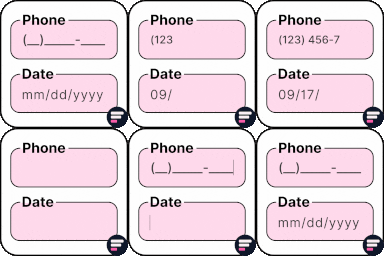
Apply input masks in Elementor form widget fields - phone, date, time, credit card, CPF, CNPJ, CEP & more for valid and error-free entries.

By Janis Elsts
Lets you edit the WordPress admin menu. You can re-order, hide or rename menus, add custom menus and more.
CHOOSE WHAT YOUR WEBSITE NEEDS
Start with the task you need to solve. Compare features, WordPress and PHP requirements, update history and the author’s documentation. Test changes on a private copy and avoid adding several plugins for the same job.
This independent directory displays plugin information on WebFulHost and links to the official source. Packages are not mirrored or installed here. A plugin can include paid extensions or services with separate terms from its author.


