

Brands for WooCommerce
By BeRocket
Brands for WooCommerce plugin allows you to add brands for products in your shop.
★ 4.8/5 (76)5,000+ active installations
- Version
- 3.10
- WordPress
- 5.0+
- PHP
- 7.4+
- Updated
- 17 Nov 2026
WORDPRESS RESOURCES
Explore public plugin information from the official WordPress.org directory. Compare what a plugin does, its requirements and update history before adding it to your website.
Explore WordPress hosting →1,377 matching plugins reported by WordPress.org · Page 9 of 50
Source: WordPress.org
Data refreshed 21 Nov 2026 10:41 UTC
By BeRocket
Brands for WooCommerce plugin allows you to add brands for products in your shop.

By OllieJones
Speed up your WordPress site by adding high-performance keys (database indexes) to your MariaDB / MySQL database tables.

By Qode
Qi Blocks is the largest collection of Gutenberg blocks developed by Qode Interactive.

By Pär Thernström
See every page as a drag-and-drop tree. Reorder your site structure in seconds — then edit, add and search right there.
90+ Elementor widgets & addons, 600+ templates, Mega Menu, WooCommerce, Display Conditions. The only Elementor addon AI agents can fully build with.

By Narinder Singh
Showcase your story or company history, events, and roadmap in an interactive timeline using the powerful Cool Timeline plugin.

By jgwhite33
Display Google Business Profile reviews in a fast slider, carousel, or grid with a summary badge. Stored locally; works with service area businesses.

By WP Wham
Add new custom, rearrange, remove or rename WooCommerce sorting options.
AI Events Calendar plugin for creating free or paid events. Supports Event Types, Bookings, Tickets, Venues, Performers, AI abilities, and a lot more.
By Dmitry V. (CEO of "UKR Solution")
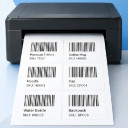
WooCommerce barcode generator for product and order labels & price tags. Easily print label with your printer (UPC, EAN, GS1, GTIN, QRcode).

By storeapps
WooCommerce stock management plugin to manage and edit product stock and their variables from a single dashboard. Stock log, import/export, filters!

By Razorfrog Web Design
Dropdown widget for WooCommerce products with category selection and sorting by price, reviews, or other criteria.
CHOOSE WHAT YOUR WEBSITE NEEDS
Start with the task you need to solve. Compare features, WordPress and PHP requirements, update history and the author’s documentation. Test changes on a private copy and avoid adding several plugins for the same job.
This independent directory displays plugin information on WebFulHost and links to the official source. Packages are not mirrored or installed here. A plugin can include paid extensions or services with separate terms from its author.

