

Wp-Insert
By Broadstreet
Simple Ad-Management for WordPress.
★ 4.5/5 (142)9,000+ active installations
- Version
- 2.7.0
- WordPress
- 6.3+
- PHP
- 7.4+
- Updated
- 28 Oct 2026
WORDPRESS RESOURCES
Explore public plugin information from the official WordPress.org directory. Compare what a plugin does, its requirements and update history before adding it to your website.
Explore WordPress hosting →10,000 matching plugins reported by WordPress.org · Page 9 of 50
Source: WordPress.org
Data refreshed 22 Nov 2026 17:26 UTC
By Broadstreet
Simple Ad-Management for WordPress.
90+ Gutenberg Blocks & AI Website Builder with 1000+ Templates. Complete Page Builder, Popup Builder, Mega Menu, Form Builder & More. No Code.
By Roland Murg
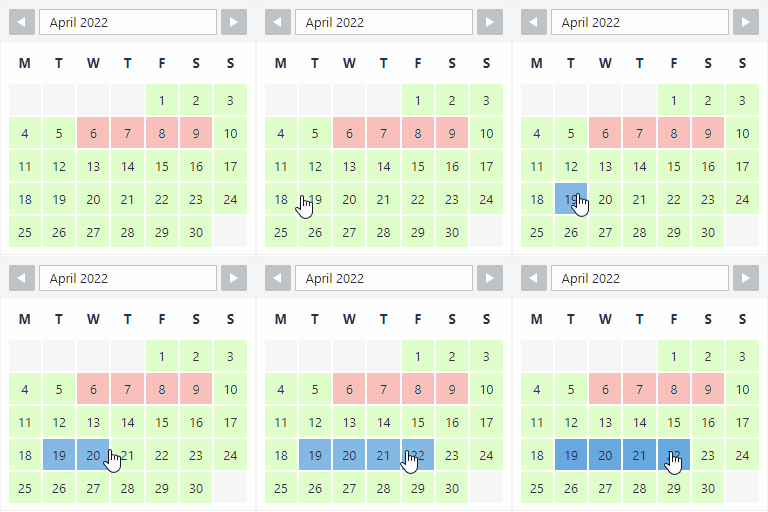
The booking calendar plugin for WordPress. Get easy online booking with this lightweight and powerful booking calendar.
Gutenberg WooCommerce Builder Blocks. Comes with WooCommerce Template Builder, Product Comparison, Quick View, Wishlist, And Variation Swatches on you …

Group core blocks into containers or repeaters to create layouts like grid, carousel, popup, accordion all in the Block Editor. Fast. Easy.

By WP Overnight
Automatically displays a shopping cart in your menu bar. Works with WooCommerce and Easy Digital Downloads (EDD)

No API key is required to launch Google Maps & OpenStreetMap.

By jgwhite33
Display Facebook Page reviews, recommendations, and X (Twitter) posts in a fast WordPress slider or grid. Official APIs; stored locally.

By Virgildia
Add scroll based animations to WordPress Gutenberg blocks.

By Nasio Themes
Small collection of essential blocks for the WordPress Block editor

By Hardeep Asrani
Export and import Gutenberg blocks as JSON files. Backup block layouts, move them between sites, or share them with your team — all without plugins.

By Hot Themes
A collection of several blocks for new WordPress editor (Gutenberg).
CHOOSE WHAT YOUR WEBSITE NEEDS
Start with the task you need to solve. Compare features, WordPress and PHP requirements, update history and the author’s documentation. Test changes on a private copy and avoid adding several plugins for the same job.
This independent directory displays plugin information on WebFulHost and links to the official source. Packages are not mirrored or installed here. A plugin can include paid extensions or services with separate terms from its author.

