

Embed interactive 3D models, 360° product views, and AR experiences in WordPress. Supports GLB, GLTF, OBJ, STL, FBX – WooCommerce ready.
★ 4.7/5 (24)9,000+ active installations
- Version
- 2.1.0
- WordPress
- 6.5+
- PHP
- 7.4+
- Updated
- 2 Nov 2026
WORDPRESS RESOURCES
Explore public plugin information from the official WordPress.org directory. Compare what a plugin does, its requirements and update history before adding it to your website.
Explore WordPress hosting →56 matching plugins reported by WordPress.org · Page 1 of 5
Source: WordPress.org
Data refreshed 17 Nov 2026 23:06 UTC
Embed interactive 3D models, 360° product views, and AR experiences in WordPress. Supports GLB, GLTF, OBJ, STL, FBX – WooCommerce ready.

By fuzzoid
Easy to use WordPress/WooCommerce product 3D viewer.

By Andrew Stichbury
Admin Search adds a simple, easy-to-use interface to your WordPress admin site that gives you and your admin users the ability to search across multip …
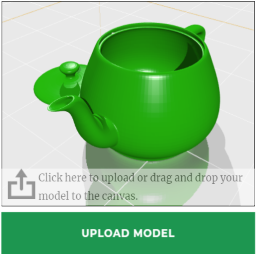
By fuzzoid
A plugin for selling 3D printing services.

By arieslab
Display interactive 3D models (STL, OBJ, GLB, GLTF) with Gutenberg blocks and shortcodes.

By wprj
Display a 3D model or an entire scene made of multiple 3D models onto your site.

By Sebastian Kumor
Let customers upload STL, OBJ, 3MF or STEP files, see an automatic 3D-print price, and add the quote straight to the WooCommerce cart.
3D model viewer with WooCommerce AR and webcam virtual try-on for glasses & caps — view in 3D, place in AR on iOS & Android, no app needed.

By Accolore
This plugin provide a 3D model files viewer to embed your 3d models on your Wordpress pages or posts.

By 3dvieweronline
Add an interactive 3D product viewer to WordPress and WooCommerce. Let customers rotate, zoom and inspect products on the page.

By add-ons.org
Sell 3D printing and laser cutting online. Customers upload a model, preview it in 3D, pick materials and options, see the price instantly and pay thr …

By Pratik Londhe
Upload GLB, glTF, STL and OBJ files to the Media Library and show them in posts as 3D models visitors can rotate, with a block.
CHOOSE WHAT YOUR WEBSITE NEEDS
Start with the task you need to solve. Compare features, WordPress and PHP requirements, update history and the author’s documentation. Test changes on a private copy and avoid adding several plugins for the same job.
This independent directory displays plugin information on WebFulHost and links to the official source. Packages are not mirrored or installed here. A plugin can include paid extensions or services with separate terms from its author.
