Smart COD for WooCommerce
By FullStack-ing
Configure COD restrictions and extra fees for WooCommerce Classic Checkout and Cart & Checkout Blocks.
★ 4.6/5 (53)30,000+ active installations
- Version
- 1.9.11
- WordPress
- 4.5+
- PHP
- 5.6+
- Updated
- 13 Nov 2026
WORDPRESS RESOURCES
Explore public plugin information from the official WordPress.org directory. Compare what a plugin does, its requirements and update history before adding it to your website.
Explore WordPress hosting →57 matching plugins reported by WordPress.org · Page 1 of 5
Source: WordPress.org
Data refreshed 18 Nov 2026 21:39 UTC
By FullStack-ing
Configure COD restrictions and extra fees for WooCommerce Classic Checkout and Cart & Checkout Blocks.

By kiswasolutions
Add a simple extra fee when customers choose Cash on Delivery (COD) in WooCommerce.

By tychesoftwares
Set fees and discounts for WooCommerce payment gateways.
Advanced Partial COD, Payment Method Restrictions, Cart Fees & Cart Discounts for WooCommerce

By PI Web Solution
Disable payment method for WooCommerce, Charge WooCommerce Payment processing fees, Take Partial payment for Order, Advance COD or Partial payment for …

By Karolina Vyskocilova
Payment gateway fees & discounts for WooCommerce: COD surcharges, card fees, fixed or percentage — on every gateway, block checkout included.
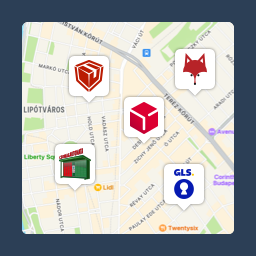
Pickup point map and shipping labels for WooCommerce, for home delivery too. MPL, Foxpost, GLS, DPD, Express One, Packeta and more.

By Octolize Shipping Plugins
Weight based shipping methods for WooCommerce. Flexible shipping with table rate rules by cart weight and order value. Accurate rates at checkout.
COD (cash on delivery, αντικαταβολή) fee and rules for WooCommerce, plus a "Pay in store" payment method for pickup. All free.

By (samedaycourier)
Sameday Courier shipping method plugin

By Vaibhav Singh Web
Add a configurable handling/convenience fee to WooCommerce orders when customers choose Cash on Delivery. Fee disappears for all other payment methods …

By Qui Nguyen
Add custom checkout fees and surcharges to WooCommerce. Apply conditional handling fees by cart total, category, shipping method, and location.
CHOOSE WHAT YOUR WEBSITE NEEDS
Start with the task you need to solve. Compare features, WordPress and PHP requirements, update history and the author’s documentation. Test changes on a private copy and avoid adding several plugins for the same job.
This independent directory displays plugin information on WebFulHost and links to the official source. Packages are not mirrored or installed here. A plugin can include paid extensions or services with separate terms from its author.