

Dark Mode for WP Dashboard
By Naiche
A clean, lightweight dark mode for the WordPress admin dashboard.
★ 4.8/5 (35)3,000+ active installations
- Version
- 1.3.11
- WordPress
- 6.0+
- PHP
- 7.4+
- Updated
- 5 Oct 2026
WORDPRESS RESOURCES
Explore public plugin information from the official WordPress.org directory. Compare what a plugin does, its requirements and update history before adding it to your website.
Explore WordPress hosting →267 matching plugins reported by WordPress.org · Page 1 of 23
Source: WordPress.org
Data refreshed 18 Nov 2026 21:42 UTC
By Naiche
A clean, lightweight dark mode for the WordPress admin dashboard.
Darkify Dark Mode adds dark mode and night mode to WordPress websites and admin dashboards using a fast, lightweight, customizable dark mode toggle.

By Ucheagwu Onyike
Dark mode for the whole WordPress admin, both editors and, if you want, your website. 26 themes, a schedule and a visitor switch.

By Greyscale Zone
Make your WordPress site boring to repeat attackers by synchronising qualifying Wordfence firewall blocks with Cloudflare.

By visionsolutions
Cookie consent plugin for managing visitor consent with Google Consent Mode v2, script blocking, content blockers, and optional integrations.
Complete WordPress dark mode with brightness control, contrast adjustment, toggle styles, and auto detection.

By robosoft
Robo Gallery is a powerful image gallery and photo gallery plugin with advanced features to create responsive galleries with a beautiful lightbox
Duplicate post, post order, image resize, email via SMTP, admin menu editor, custom css / code, disable gutenberg and much more in a single plugin.

By Woosuite
Turn WooCommerce variation dropdowns into color, image, label and radio button swatches. The original Variation Swatches for WooCommerce.

By Patrick Lumumba
Allows post authors to easily add and manage footnotes in posts and pages.
By creativeinteractivemedia
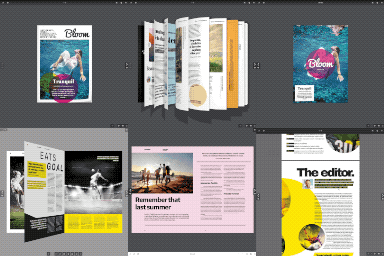
Turn a PDF or images into a realistic 3D flipbook – no watermark, no page limits. Embed with a block or shortcode: a page-flip PDF viewer.
OneTap is a multilingual WordPress plugin designed for seamless website accessibility.
CHOOSE WHAT YOUR WEBSITE NEEDS
Start with the task you need to solve. Compare features, WordPress and PHP requirements, update history and the author’s documentation. Test changes on a private copy and avoid adding several plugins for the same job.
This independent directory displays plugin information on WebFulHost and links to the official source. Packages are not mirrored or installed here. A plugin can include paid extensions or services with separate terms from its author.



