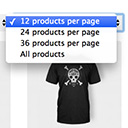
Products Per Page for WooCommerce is a easy-to-setup plugin that integrates a 'products per page' dropdown on your WooCommerce pages.
★ 4.8/5 (80)10,000+ active installations
- Version
- 1.2.10
- WordPress
- 5.0.0+
- Updated
- 31 Oct 2026
View plugin details ↗Products per page selector for WooCommerce.
★ 5.0/5 (8)1,000+ active installations
- Version
- 2.6.0
- WordPress
- 4.4+
- PHP
- 7.4+
- Updated
- 12 Nov 2026
View plugin details ↗HUSKY - WooCommerce Products Filter (former WOOF) – filter by categories, attributes, price and meta fields, with a built-in MCP server
★ 4.6/5 (337)80,000+ active installations
- Version
- 1.4.8
- WordPress
- 6.0+
- PHP
- 7.4+
- Updated
- 13 Nov 2026
View plugin details ↗20+ Gutenberg Blocks with endless options, enabling top-notch efficiency for high-performance dynamic website creation.
★ 4.8/5 (337)600,000+ active installations
- Version
- 3.9.1.1
- WordPress
- 6.6+
- PHP
- 7.4+
- Updated
- 16 Nov 2026
View plugin details ↗Most popular WooCommerce product feed plugin supporting Google shopping feed, meta/facebook feed, bing product feed & more.
★ 4.7/5 (1,072)80,000+ active installations
- Version
- 13.5.9
- WordPress
- 5.9+
- Updated
- 13 Nov 2026
View plugin details ↗Set WooCommerce product prices in multiple currencies with flexible cart and checkout options and per-product currency settings.
★ 4.1/5 (17)2,000+ active installations
- Version
- 2.0.1
- WordPress
- 4.4+
- PHP
- 7.4+
- Updated
- 16 Sep 2026
View plugin details ↗Free WooCommerce filter: fast on 100,000 products, any theme or builder, right on phones, found by Google and AI answers. One click setup.
★ 4.8/5 (325)50,000+ active installations
- Version
- 4.0.0
- WordPress
- 6.0+
- PHP
- 7.4+
- Updated
- 17 Nov 2026
View plugin details ↗Limit number of items your WooCommerce customers can buy (lifetime or in selected date range).
★ 4.6/5 (42)1,000+ active installations
- Version
- 4.5.2
- WordPress
- 5.7+
- Updated
- 11 Aug 2026
View plugin details ↗See every page as a drag-and-drop tree. Reorder your site structure in seconds — then edit, add and search right there.
★ 4.9/5 (365)50,000+ active installations
- Version
- 2.7.0
- WordPress
- 6.6+
- PHP
- 7.4+
- Updated
- 7 Nov 2026
View plugin details ↗Password protect WordPress pages and posts by user roles or with multiple passwords; protect your entire website with a single password.
★ 4.7/5 (272)30,000+ active installations
- Version
- 1.9.28
- WordPress
- 5.2+
- PHP
- 5.6+
- Updated
- 5 Nov 2026
View plugin details ↗Boost WooCommerce sales with the Rearrange Products for WooCommerce plugin. Easily reorder products with a simple drag-and-drop tool!
★ 4.6/5 (58)20,000+ active installations
- Version
- 6.1.0
- WordPress
- 6.6+
- PHP
- 7.4.0+
- Updated
- 29 Oct 2026
View plugin details ↗Real-time SEO guidance, schema, and AI built in. Help search engines and AI systems understand your content. All AI tools included, no hidden fees.
★ 4.8/5 (27,821)10,000,000+ active installations
- Version
- 28.9
- WordPress
- 7.0+
- PHP
- 7.4+
- Updated
- 18 Nov 2026
View plugin details ↗