

Generate WooCommerce product feeds for 200+ marketplaces. Sell on Google Shopping, Facebook, Instagram, Amazon, eBay, TikTok and more.
★ 4.8/5 (257)10,000+ active installations
- Version
- 7.15.0
- WordPress
- 6.7+
- PHP
- 7.4+
- Updated
- 10 Nov 2026
WORDPRESS RESOURCES
Explore public plugin information from the official WordPress.org directory. Compare what a plugin does, its requirements and update history before adding it to your website.
Explore WordPress hosting →359 matching plugins reported by WordPress.org · Page 1 of 30
Source: WordPress.org
Data refreshed 19 Nov 2026 01:14 UTC
Generate WooCommerce product feeds for 200+ marketplaces. Sell on Google Shopping, Facebook, Instagram, Amazon, eBay, TikTok and more.
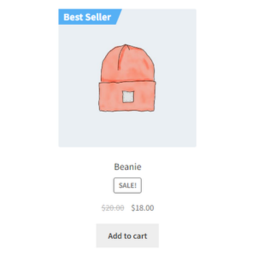
By GrandPlugins
A Best Seller badge will be automatically added to the product image of your top selling products
AI-powered WordPress directory plugin to build a business directory or classified ads site: maps, reviews, radius search, paid listings. No coding.

By Themepoints
Show real sales counts on WooCommerce product pages and shop grids. Includes a sales dashboard, best-seller sorting and a Top Sellers block.

Transform your WooCommerce site into a multivendor marketplace with Dokan – an AI powered & advanced WooCommerce marketplace solution

By WPClever
WPC Grouped Product helps you make up standalone products that are presented as a group.
Create eye-catching product badges and labels for your WooCommerce store in seconds. 100+ built-in product badges. Fully customizable.
By GrandPlugins
Protect PDF files by passwords on your WordPress Website.
Display WooCommerce products in a responsive slider or carousel with customizable layouts to boost engagement and improve product browsing.

By Mercado Pago
Offer to your clients the best experience in e-Commerce by using Mercado Pago as your payment method.

Every store loses sales to cart abandonment. But with Cart Abandonment Recovery for WooCommerce, you can win them back—automatically.

By WPClever
WPC Badge Management is a powerful plugin that simplifies badge management in online shops.
CHOOSE WHAT YOUR WEBSITE NEEDS
Start with the task you need to solve. Compare features, WordPress and PHP requirements, update history and the author’s documentation. Test changes on a private copy and avoid adding several plugins for the same job.
This independent directory displays plugin information on WebFulHost and links to the official source. Packages are not mirrored or installed here. A plugin can include paid extensions or services with separate terms from its author.


