Color the mobile browser address bar with your brand color, with a separate color for dark mode.
★ 5.0/5 (1)2,000+ active installations
- Version
- 2.0.1
- WordPress
- 5.0+
- PHP
- 7.0+
- Updated
- 5 Oct 2026
View plugin details ↗Free text to speech with browser voices + premium AI voices from Google, OpenAI & ElevenLabs. Add an audio player to any WordPress post.
★ 4.8/5 (93)4,000+ active installations
- Version
- 2.3.26
- WordPress
- 5.6+
- PHP
- 7.4+
- Updated
- 14 Nov 2026
View plugin details ↗This plugin will protect the posts content from copying by disable right click and disable selecting text. You can exclude pages and posts.
★ 4.5/5 (25)5,000+ active installations
- Version
- 2.4.3
- WordPress
- 3.0+
- Updated
- 20 Aug 2026
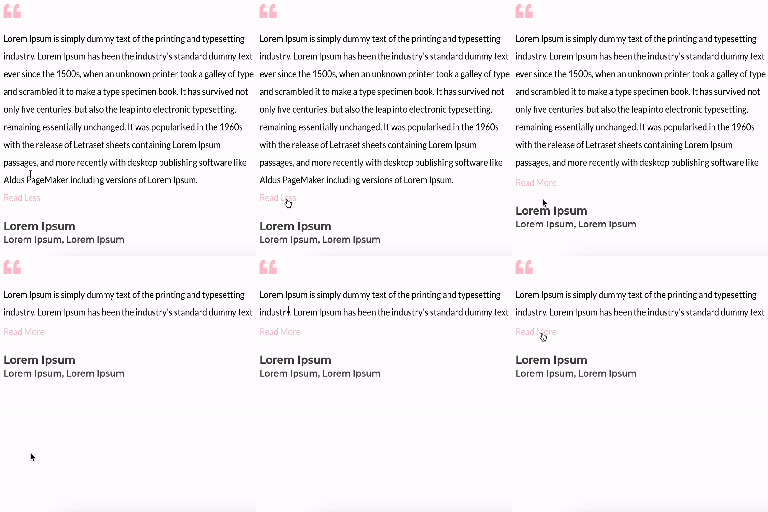
View plugin details ↗Unfold Text is a straightforward yet powerful add-on for Elementor that allows you to expand and collapse text with ease.
★ 4.6/5 (7)3,000+ active installations
- Version
- 1.2.1
- WordPress
- 6.0+
- PHP
- 7.0+
- Updated
- 8 Jul 2026
View plugin details ↗Many devices and browsers provide less-than-ideal colors when selecting text on sites. Users may select text for a variety of reasons, including as a …
★ 5.0/5 (5)900+ active installations
- Version
- 1.2
- WordPress
- 4.5+
- Updated
- 13 Jul 2026
View plugin details ↗Animated Text Block – Add dynamic, customizable text animations to your WordPress site with ease.
★ 4.8/5 (5)4,000+ active installations
- Version
- 1.2.8
- WordPress
- 6.5+
- PHP
- 7.1+
- Updated
- 17 Nov 2026
View plugin details ↗Smooth, accessible scrolling announcement bars and news tickers for your header, footer or any page. Live preview, block and Elementor widget.
★ 4.6/5 (5)5,000+ active installations
- Version
- 2.0.3
- WordPress
- 6.3+
- PHP
- 7.4+
- Updated
- 4 Nov 2026
View plugin details ↗Not a big fan of green and black? Love the layout of Twenty Fourteen, but need its colors to match your brand? Don't have time to create a child …
★ 4.8/5 (48)8,000+ active installations
- Version
- 1.6
- WordPress
- 3.6+
- Updated
- 18 Jul 2026
View plugin details ↗Typing text block for Gutenberg – animated typing effects for headings, hero titles & text with speed, loop & cursor controls plus six free themes.
★ 3.8/5 (6)3,000+ active installations
- Version
- 2.2.4
- WordPress
- 6.5+
- PHP
- 7.4+
- Updated
- 17 Nov 2026
View plugin details ↗Variation Swatches for WooCommerce replaces dropdowns with color, image & size swatches, helping shoppers decide faster and buy with confidence.
★ 4.6/5 (51)200,000+ active installations
- Version
- 1.0.14
- WordPress
- 5.4+
- PHP
- 7.4+
- Updated
- 26 Aug 2026
View plugin details ↗Enable paste as text by default with one click in editors like Classic Editor, Divi, Elementor, Beaver Builder and WPBakery.
★ 5.0/5 (9)2,000+ active installations
- Version
- 1.2
- WordPress
- 4.7+
- PHP
- 7.4+
- Updated
- 15 Oct 2026
View plugin details ↗Insert icons anywhere in your content — inline in text, headings, buttons, or as a standalone block.
★ 5.0/5 (10)3,000+ active installations
- Version
- 1.8.2
- WordPress
- 5.4+
- Updated
- 16 Sep 2026
View plugin details ↗