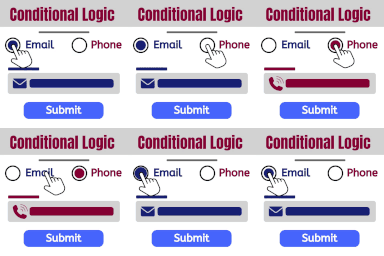
Add conditional fields to Elementor forms and apply if-else conditional logic to show or hide Elementor form widget fields via dynamic rules.
★ 4.7/5 (32)10,000+ active installations
- Version
- 1.7.8
- WordPress
- 5.0+
- PHP
- 7.2+
- Updated
- 16 Nov 2026
WORDPRESS RESOURCES
Explore public plugin information from the official WordPress.org directory. Compare what a plugin does, its requirements and update history before adding it to your website.
Explore WordPress hosting →1,245 matching plugins reported by WordPress.org · Page 1 of 50
Source: WordPress.org
Data refreshed 17 Nov 2026 21:08 UTC
Add conditional fields to Elementor forms and apply if-else conditional logic to show or hide Elementor form widget fields via dynamic rules.
Easily add code snippets in WordPress. Insert header & footer scripts, add PHP code snippets with conditional logic, insert ads pixel code, and more.

By Jules Colle
Adds conditional logic to Contact Form 7.

The best WordPress contact form plugin. Drag & Drop form builder to create beautiful contact forms, payment forms, & other custom forms.
Show and hide fields. Send certain email, don't send others. Redirect to one of many pages. The possibilities are endless!
Style Contact Form 7 forms. Add multi-step forms, conditional logic and a submissions database. All free, with an AI form builder.
WordPress contact form builder to create forms like contact form, booking form, feedback form, survey form, application form & 44+ form templates.

Get a fast contact form plugin. Create advanced forms using drag and drop form builder with all smart features.

By StaxWP
Display Conditions for Elementor: show or hide widgets and sections by user role, ACF fields, device type, date & time, browser and more.

Membership & community plugin with user profiles, registration & login, member directories, content restriction, user roles and much more.

By meowcrew
Show or hide certain fields of the WooCommerce Product Addons based on other fields' values or states (eg, show field X when option Y is selected …

By Tangible
Loops & Logic is a template system with content loops and conditions.
CHOOSE WHAT YOUR WEBSITE NEEDS
Start with the task you need to solve. Compare features, WordPress and PHP requirements, update history and the author’s documentation. Test changes on a private copy and avoid adding several plugins for the same job.
This independent directory displays plugin information on WebFulHost and links to the official source. Packages are not mirrored or installed here. A plugin can include paid extensions or services with separate terms from its author.