Drag-and-drop ordering for Categories & any taxonomy (hierarchically) using a Drag and Drop Sortable JavaScript capability.
★ 4.5/5 (162)500,000+ active installations
- Version
- 2.1
- WordPress
- 2.8+
- Updated
- 30 Oct 2026
View plugin details ↗Easily reorder posts, pages, custom post types, and taxonomies with intuitive drag-and-drop sorting in the WordPress admin.
★ 4.8/5 (590)300,000+ active installations
- Version
- 2.8.12
- WordPress
- 6.2+
- PHP
- 7.4+
- Updated
- 3 Nov 2026
View plugin details ↗Tags, Categories and WordPress terms are easy with PublishPress Taxonomies. Add a Tag or Category to Pages, manage your WooCommerce Categories and Tag …
★ 4.6/5 (195)40,000+ active installations
- Version
- 4.0.2
- WordPress
- 6.7+
- PHP
- 8.2+
- Updated
- 17 Nov 2026
View plugin details ↗Pods is a framework for creating, managing, and deploying customized content types and fields for any project.
★ 4.8/5 (418)100,000+ active installations
- Version
- 3.3.9.2
- WordPress
- 6.3+
- PHP
- 7.2+
- Updated
- 31 Aug 2026
View plugin details ↗Sort taxonomy terms your way.
★ 4.8/5 (20)6,000+ active installations
- Version
- 2.3.1
- WordPress
- 6.4+
- PHP
- 7.4+
- Updated
- 17 Oct 2026
View plugin details ↗Duplicate post, post order, image resize, email via SMTP, admin menu editor, custom css / code, disable gutenberg and much more in a single plugin.
★ 5.0/5 (423)200,000+ active installations
- Version
- 9.3.3
- WordPress
- 4.6+
- PHP
- 5.6+
- Updated
- 16 Nov 2026
View plugin details ↗A simple and easy way to reorder your custom post types within terms in WordPress.
★ 5.0/5 (5)1,000+ active installations
- Version
- 1.3.2
- WordPress
- 6.5+
- PHP
- 7.2+
- Updated
- 22 Oct 2026
View plugin details ↗Flexible sidebars for custom classic widget configurations on any page or post. Create custom sidebars with ease!
★ 4.7/5 (1,028)100,000+ active installations
- Version
- 3.38
- WordPress
- 4.6+
- PHP
- 5.6+
- Updated
- 16 Aug 2026
View plugin details ↗Manage taxonomies and terms with CSV import/export, bulk editing, safe delete with undo, history, quality audit, redirects, and user transfers.
★ 5.0/5 (3)1,000+ active installations
- Version
- 2.5.0
- WordPress
- 6.0+
- PHP
- 8.0+
- Updated
- 19 Nov 2026
View plugin details ↗Map your Gravity-Forms-generated posts to a custom post type and/or custom taxonomies.
★ 4.4/5 (46)10,000+ active installations
- Version
- 3.1.33
- WordPress
- 3.0.1+
- PHP
- 5.6+
- Updated
- 17 Sep 2026
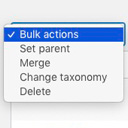
View plugin details ↗Allows you to merge terms, move terms between taxonomies, and set term parents, individually or in bulk.
★ 4.9/5 (76)10,000+ active installations
- Version
- 2.0.2
- WordPress
- 4.2+
- PHP
- 7.1+
- Updated
- 11 Dec 2025
View plugin details ↗Choose your own upload folders using post titles, categories, dates and more. Keep files easy to find when browsing your server.
★ 4.4/5 (25)5,000+ active installations
- Version
- 3.6.0
- WordPress
- 5.7+
- PHP
- 7.4+
- Updated
- 13 Oct 2026
View plugin details ↗