Easy Footnotes lets you quickly and easily add footnotes throughout your WordPress posts using a simple shortcode in the text editor.
★ 4.8/5 (33)8,000+ active installations
- Version
- 1.1.14
- WordPress
- 3.0.1+
- Updated
- 26 Aug 2026
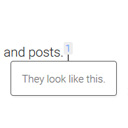
View plugin details ↗Add inline footnotes to your posts. On desktop, the footnotes will appear as tooltips. On mobile, the footnote will expand beneath the text.
★ 4.8/5 (32)6,000+ active installations
- Version
- 1.5.1
- WordPress
- 4.6+
- Updated
- 24 Aug 2026
View plugin details ↗Allows post authors to easily add and manage footnotes in posts and pages.
★ 4.6/5 (40)2,000+ active installations
- Version
- 3.2.3
- WordPress
- 6.0+
- PHP
- 7.4+
- Updated
- 7 Nov 2026
View plugin details ↗Simple plugin to show footnotes using markdown notation.
★ 5.0/5 (6)300+ active installations
- Version
- 1.8
- WordPress
- 4.4+
- PHP
- 7.4+
- Updated
- 13 Sep 2026
View plugin details ↗Allows post authors to easily add and manage footnotes in posts.
★ 5.0/5 (5)100+ active installations
- Version
- 4.4.0
- WordPress
- 6.0+
- PHP
- 7.4+
- Updated
- 29 Sep 2026
View plugin details ↗
By CreativeMindsSolutions
Add and manage footnotes, citations, and bibliography with this footnotes Plugin. Improve clarity and provide references.
★ 4.2/5 (6)100+ active installations
- Version
- 2.2.4
- WordPress
- 5.4.0+
- PHP
- 5.2.4+
- Updated
- 13 Oct 2026
View plugin details ↗Add sources from DOI, ISBN, PubMed, YouTube and more, then publish citations, footnotes, bibliographies, tooltips and glossaries.
★ 5.0/5 (2)50+ active installations
- Version
- 4.5.1
- WordPress
- 6.3+
- PHP
- 7.4+
- Updated
- 8 Nov 2026
View plugin details ↗Footnotes, tooltips and glossary notes for the block editor. Click a term to reveal context inline — no page jumps.
★ 5.0/5 (2)40+ active installations
- Version
- 2.10.0
- WordPress
- 6.0+
- PHP
- 7.4+
- Updated
- 20 Oct 2026
View plugin details ↗Mammoth converts semantically marked up .docx documents to simple and clean HTML, allowing pasting from Word and Google Docs without the usual mess.
★ 4.8/5 (62)20,000+ active installations
- Version
- 1.22.0
- WordPress
- 4.0+
- Updated
- 12 Mar 2026
View plugin details ↗Import blog posts from Google Docs or .docx files with headings, tables, images, SEO fields and FAQ schema filled in automatically.
100+ active installations
- Version
- 1.1.6
- WordPress
- 6.2+
- PHP
- 7.4+
- Updated
- 15 Nov 2026
View plugin details ↗Boost your SEO & UX with Codeat's Glossary: powerful auto-link engine; customizable tooltips, mobile settings, ChatGPT and much more!
★ 4.7/5 (84)2,000+ active installations
- Version
- 2.3.20
- WordPress
- 6.3+
- PHP
- 7.4+
- Updated
- 27 Oct 2026
View plugin details ↗Make printing your blog easy and impressive. For you & your visitors. One post or thousands.
★ 4.8/5 (115)8,000+ active installations
- Version
- 3.27.18
- WordPress
- 4.7+
- PHP
- 5.4+
- Updated
- 13 Oct 2026
View plugin details ↗