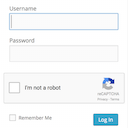
Frontend login, registration and password reset pages that match your theme, at your own URLs, instead of the default wp-login.php screen.
★ 3.7/5 (460)50,000+ active installations
- Version
- 7.3.1
- WordPress
- 5.7+
- Updated
- 13 Oct 2026
View plugin details ↗Create an AI-powered frontend post form, user registration form, user profile page, membership site, user directory, and content restriction.
★ 4.1/5 (537)20,000+ active installations
- Version
- 4.3.15
- WordPress
- 5.0+
- PHP
- 7.4+
- Updated
- 16 Nov 2026
View plugin details ↗Frontend login, registration, profile and password reset forms with blocks or shortcodes. WPML certified, reCAPTCHA and WooCommerce compatible.
★ 4.7/5 (144)5,000+ active installations
- Version
- 2.0.3
- WordPress
- 5.5+
- Updated
- 16 Nov 2026
View plugin details ↗Redirect users to different locations after they log in, log out and register based on different conditions.
★ 4.8/5 (504)80,000+ active installations
- Version
- 3.0.9.1
- WordPress
- 5.6+
- PHP
- 7.4+
- Updated
- 17 Nov 2026
View plugin details ↗Membership & community plugin with user profiles, registration & login, member directories, content restriction, user roles and much more.
★ 4.4/5 (1,445)200,000+ active installations
- Version
- 2.14.2
- WordPress
- 6.2+
- PHP
- 7.0+
- Updated
- 2 Nov 2026
View plugin details ↗Build custom frontend user dashboards with login, registration, user profiles, frontend post editing, and role-based permissions.
★ 4.9/5 (137)500+ active installations
- Version
- 3.5.0
- WordPress
- 6.1+
- PHP
- 8.0+
- Updated
- 17 Nov 2026
View plugin details ↗Duplicate post, post order, image resize, email via SMTP, admin menu editor, custom css / code, disable gutenberg and much more in a single plugin.
★ 5.0/5 (423)200,000+ active installations
- Version
- 9.3.3
- WordPress
- 4.6+
- PHP
- 5.6+
- Updated
- 16 Nov 2026
View plugin details ↗Log in as any WordPress user with one click. Troubleshoot issues and support customers without asking for their password.
★ 4.8/5 (41)30,000+ active installations
- Version
- 1.7.6
- WordPress
- 5.3+
- PHP
- 7.4+
- Updated
- 13 Nov 2026
View plugin details ↗This awesome plugin allows you to easily display frontend forms on your site so your clients can easily edit content by themselves from the frontend.
★ 4.5/5 (160)8,000+ active installations
- Version
- 3.30.4
- WordPress
- 6.5+
- PHP
- 5.6.0+
- Updated
- 15 Nov 2026
View plugin details ↗Professional frontend dashboard for WooCommerce and multivendor marketplaces. Supports WCFM Marketplace, Dokan, WC Vendors, WC Product Vendors.
★ 4.5/5 (286)10,000+ active installations
- Version
- 6.8.2
- WordPress
- 5.5+
- PHP
- 7.4+
- Updated
- 2 Nov 2026
View plugin details ↗Adds a Google No Captcha ReCaptcha checkbox to your Wordpress and Woocommerce login, forgot password, and user registration pages.
★ 4.5/5 (63)50,000+ active installations
- Version
- 1.8.1
- WordPress
- 4.6+
- PHP
- 7.4+
- Updated
- 26 May 2026
View plugin details ↗Let your users reset their forgotten passwords from the frontend of your website.
★ 4.4/5 (38)10,000+ active installations
- Version
- 1.3.3
- WordPress
- 4.4+
- Updated
- 30 Jan 2026
View plugin details ↗