The easiest to use WordPress map plugin! Create a custom map, map block, store locator or map widget with high quality markers.
★ 4.8/5 (3,067)300,000+ active installations
- Version
- 10.2.02
- WordPress
- 6.0+
- PHP
- 7.0+
- Updated
- 19 Nov 2026
WORDPRESS RESOURCES
Explore public plugin information from the official WordPress.org directory. Compare what a plugin does, its requirements and update history before adding it to your website.
Explore WordPress hosting →883 matching plugins reported by WordPress.org · Page 1 of 50
Source: WordPress.org
Data refreshed 20 Nov 2026 10:02 UTC
The easiest to use WordPress map plugin! Create a custom map, map block, store locator or map widget with high quality markers.

By Md Nishath Khandakar
The #1 Google Address Autocomplete for WordPress. Point-and-click setup, no coding. Works with WooCommerce, CF7, WPForms, Gravity Forms & Elementor.

By PluginsCafe
A simple and nice plugin to get auto suggestion from google place api in gravity form address field.

AIOSEO is the WordPress SEO plugin. Boost SEO rankings with AI SEO tools, schema, meta descriptions, XML sitemaps & rank tracking.

WooCommerce conversion tracking: Google Ads, GA4, Meta Pixel & Conversions API, TikTok, OpenAI (ChatGPT). Recover 30% more conversions server-side.

By Complianz
Publish your cookie banner or notice in minutes. Automatically scan cookies, and create policies to align with GDPR, CCPA, and Google Consent Mode.
Google address autocomplete for any WordPress form. Pick a suggested address and the street, city, state, ZIP and country fields fill themselves.
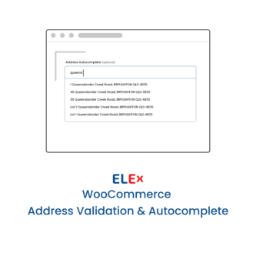
Simple and easy to use address validation & google address autocomplete plugin. Uses EasyPost, UPS, USPS, AddressFinder & Google APIs.

By Matt Keys
Use Insights from Google PageSpeed to improve your site's performance, Core Web Vitals, search engine ranking and your visitors' browsing experience.

By Michael Aronoff
Contains a simple way to add an embedded Google Map to any page or post.

By Team exactly webdesign
exovia GDPR Google Maps enables you to integrate Google Maps in a privacy compliant manner that respects the privacy of your visitors.
Automatically redirect 404 errors to the right page using a 7-engine matching pipeline and spell-checking algorithm. Zero configuration required.
CHOOSE WHAT YOUR WEBSITE NEEDS
Start with the task you need to solve. Compare features, WordPress and PHP requirements, update history and the author’s documentation. Test changes on a private copy and avoid adding several plugins for the same job.
This independent directory displays plugin information on WebFulHost and links to the official source. Packages are not mirrored or installed here. A plugin can include paid extensions or services with separate terms from its author.