

Custom Taxonomy Order
By Marcel Pol
Allows for the ordering of categories and custom taxonomy terms through a simple drag-and-drop interface
★ 4.8/5 (96)50,000+ active installations
- Version
- 4.0.2
- WordPress
- 4.1+
- PHP
- 7.0+
- Updated
- 28 Sep 2026
WORDPRESS RESOURCES
Explore public plugin information from the official WordPress.org directory. Compare what a plugin does, its requirements and update history before adding it to your website.
Explore WordPress hosting →703 matching plugins reported by WordPress.org · Page 1 of 50
Source: WordPress.org
Data refreshed 19 Nov 2026 22:06 UTC
By Marcel Pol
Allows for the ordering of categories and custom taxonomy terms through a simple drag-and-drop interface

By Dhanendran Rajagopal
Copy or convert terms from one taxonomy to another while keeping their post associations.

Tags, Categories and WordPress terms are easy with PublishPress Taxonomies. Add a Tag or Category to Pages, manage your WooCommerce Categories and Tag …

By John James Jacoby
Sort taxonomy terms your way.
By scribu
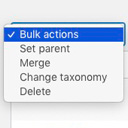
Allows you to merge terms, move terms between taxonomies, and set term parents, individually or in bulk.

By Md.Rakib Hossen
Manage taxonomies and terms with CSV import/export, bulk editing, safe delete with undo, history, quality audit, redirects, and user transfers.

By nwjames
This plugin provides a no-code facility to manage your taxonomies - either by defining your own or by adding additional function to existing ones.
Duplicate post, post order, image resize, email via SMTP, admin menu editor, custom css / code, disable gutenberg and much more in a single plugin.

By Anh Tran
Create and manage custom post types and custom taxonomies with an easy-to-use UI in WordPress.

By colorlibplugins
Easily reorder posts, pages, custom post types, and taxonomies with intuitive drag-and-drop sorting in the WordPress admin.

By Code Snippets Pro
Manage custom WordPress code in one dashboard. Create PHP and HTML snippets, preview code, track snippet totals and reuse code across sites.

PublishPress Future can make scheduled changes to your content. You can unpublish posts, move posts to a new status, update the categories, and more.
CHOOSE WHAT YOUR WEBSITE NEEDS
Start with the task you need to solve. Compare features, WordPress and PHP requirements, update history and the author’s documentation. Test changes on a private copy and avoid adding several plugins for the same job.
This independent directory displays plugin information on WebFulHost and links to the official source. Packages are not mirrored or installed here. A plugin can include paid extensions or services with separate terms from its author.
