

Site Kit is a one-stop solution for WordPress users to use everything Google has to offer to make them successful on the web.
★ 4.2/5 (1,016)5,000,000+ active installations
- Version
- 1.192.0
- WordPress
- 5.2+
- PHP
- 7.4+
- Updated
- 16 Nov 2026
WORDPRESS RESOURCES
Explore public plugin information from the official WordPress.org directory. Compare what a plugin does, its requirements and update history before adding it to your website.
Explore WordPress hosting →9,503 matching plugins reported by WordPress.org · Page 1 of 50
Source: WordPress.org
Data refreshed 18 Nov 2026 22:17 UTC
Site Kit is a one-stop solution for WordPress users to use everything Google has to offer to make them successful on the web.
Duplicate post, post order, image resize, email via SMTP, admin menu editor, custom css / code, disable gutenberg and much more in a single plugin.

By Nick Diego
Easily add SVG icons and graphics to the WordPress block editor.

By Gemini Labs
Site Reviews is the best free reviews plugin. It integrates with WooCommerce & SureCart and works just like reviews on Amazon, Tripadvisor, and Yelp.

By Nick Halsey
Login site icon is a simple way to brand your site's WordPress login screen. Rather than the WordPress mark, linked to WordPress.

By Elementor
The Elementor Website Builder has it all: drag and drop page builder, Atomic Editor, pixel perfect design, global and reusable style systems, mobile r …
Skyboot Custom Icons for Elementor expands your Elementor icons library with custom icons, perfect for website owners who use the Elementor plugin.
Create a list with an icon with this block plugin.

By Phi Phan
A simple, lightweight, accessibility-ready icon separator block.

By Binsaifullah
Add SVG icons to the WordPress block editor: 1,800+ Font Awesome icons, custom SVG code, safe SVG uploads and a reusable icon library.

By Benjamin Denis
WordPress SEO plugin with AI SEO metadata, schema, XML sitemap, redirections & Search Console. Privacy-first, white-label SEO. Now AI-ready.
By Web Guy
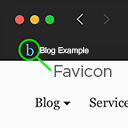
Add a favicon.
CHOOSE WHAT YOUR WEBSITE NEEDS
Start with the task you need to solve. Compare features, WordPress and PHP requirements, update history and the author’s documentation. Test changes on a private copy and avoid adding several plugins for the same job.
This independent directory displays plugin information on WebFulHost and links to the official source. Packages are not mirrored or installed here. A plugin can include paid extensions or services with separate terms from its author.


