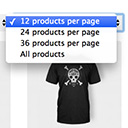
Products Per Page for WooCommerce is a easy-to-setup plugin that integrates a 'products per page' dropdown on your WooCommerce pages.
★ 4.8/5 (80)10,000+ active installations
- Version
- 1.2.10
- WordPress
- 5.0.0+
- Updated
- 31 Oct 2026
View plugin details ↗The most popular gallery plugin that lets you create galleries and albums in seconds.
★ 4.3/5 (4,342)300,000+ active installations
- Version
- 4.6.0
- WordPress
- 5.5.4+
- PHP
- 7.4+
- Updated
- 17 Nov 2026
View plugin details ↗20+ Gutenberg Blocks with endless options, enabling top-notch efficiency for high-performance dynamic website creation.
★ 4.8/5 (337)600,000+ active installations
- Version
- 3.9.1.1
- WordPress
- 6.6+
- PHP
- 7.4+
- Updated
- 16 Nov 2026
View plugin details ↗Easy Drag & Drop Page Builder. A complete solution to create a WordPress Website, Custom Themes, Landing Pages, Coming Soon & Maintenance Mode Pages.
★ 4.9/5 (4,699)600,000+ active installations
- Version
- 6.20.13
- WordPress
- 5.0+
- PHP
- 5.6+
- Updated
- 17 Nov 2026
View plugin details ↗Firewall, Malware Scanner, Two Factor Auth, and Comprehensive Security Features, powered by our 24-hour team. Make security a priority with Wordfence.
★ 4.7/5 (5,052)5,000,000+ active installations
- Version
- 9.1.1
- WordPress
- 4.7+
- PHP
- 7.0+
- Updated
- 10 Nov 2026
View plugin details ↗Optimize pages for faster load and render in the browser.
★ 3.0/5 (5)300,000+ active installations
- Version
- 0.6.4
- WordPress
- 5.3+
- PHP
- 7.4+
- Updated
- 19 Oct 2026
View plugin details ↗Order your pages and other custom post types that support "page-attributes" with drag and drop right from the standard page list.
★ 4.7/5 (131)100,000+ active installations
- Version
- 2.8.1
- WordPress
- 6.9+
- PHP
- 7.4+
- Updated
- 24 Sep 2026
View plugin details ↗See every page as a drag-and-drop tree. Reorder your site structure in seconds — then edit, add and search right there.
★ 4.9/5 (365)50,000+ active installations
- Version
- 2.7.0
- WordPress
- 6.6+
- PHP
- 7.4+
- Updated
- 7 Nov 2026
View plugin details ↗Password protect WordPress pages and posts by user roles or with multiple passwords; protect your entire website with a single password.
★ 4.7/5 (272)30,000+ active installations
- Version
- 1.9.28
- WordPress
- 5.2+
- PHP
- 5.6+
- Updated
- 5 Nov 2026
View plugin details ↗A useful shortcode and widget collection for Weaver Xtreme
★ 5.0/5 (4)8,000+ active installations
- Version
- 7.1.1
- WordPress
- 6.6+
- PHP
- 7.4+
- Updated
- 23 Oct 2026
View plugin details ↗Publish your cookie banner or notice in minutes. Automatically scan cookies, and create policies to align with GDPR, CCPA, and Google Consent Mode.
★ 4.7/5 (1,672)1,000,000+ active installations
- Version
- 7.5.7
- WordPress
- 5.9+
- PHP
- 7.4+
- Updated
- 4 Nov 2026
View plugin details ↗
By Diana van de Laarschot
Logo Per page: Set a different site logo depending on the page that is being viewed.
★ 5.0/5 (1)100+ active installations
- Version
- 1.0.5
- WordPress
- 5.4+
- PHP
- 7.4+
- Updated
- 28 Aug 2026
View plugin details ↗