Code Block Pro – Beautiful Syntax Highlighting
By Kevin Batdorf
Code highlighting powered by the VS Code engine. Performance focused. No bloat.
★ 4.8/5 (50)10,000+ active installations
- Version
- 1.28.0
- WordPress
- 6.0+
- PHP
- 7.0+
- Updated
- 15 Aug 2026
WORDPRESS RESOURCES
Explore public plugin information from the official WordPress.org directory. Compare what a plugin does, its requirements and update history before adding it to your website.
Explore WordPress hosting →12 matching plugins reported by WordPress.org · Page 1 of 1
Source: WordPress.org
Data refreshed 25 Nov 2026 10:40 UTC
By Kevin Batdorf
Code highlighting powered by the VS Code engine. Performance focused. No bloat.
Secure WordPress MCP server for Claude, ChatGPT, Codex & Cursor. Manage posts, WooCommerce, SEO, media, users, builders, LMS & events.

By markmarkmark
Write posts, pages and comments in Carve markup: a visual editor, live preview, multi-format paste, frontmatter-to-meta and a REST API.
Connect WordPress to Claude, Cursor, Codex and other MCP-compatible AI clients to read site data and manage content.
By conlabltd
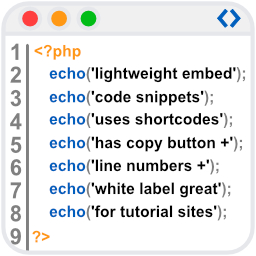
WpBetterCodeHighlighting allows you to show code snippets in over 290+ languages. Its completly free and perfect for blog/tutorial sites.
Syntax highlighting for the Gutenberg Code block — Prism.js, 21 themes, 40+ languages, plus an optional server-side highlighting mode.

By Uri N.
AI SEO & GEO toolkit: llms.txt, schema & AI bot analytics — see which AI systems (ChatGPT, Gemini, Perplexity, Claude) read and cite your site.

By andrewjbaker
Secure your WordPress site without an IT team. Free firewall, two-factor, passkeys and AI audits, with plain-language insights and simple fixes.

By markmarkmark
Djot markup language support for WordPress. A modern, cleaner alternative to Markdown.

By Rudy Mens
The lazy way to highlight code — rendered on the server, cached, and zero front-end JavaScript. Renders your existing Enlighter blocks as they are.

By esecamalich
"Well-Known URIs" for WordPress!

By Bryan Petty
Adds line numbers, syntax highlighting, code folding, and lots more to the theme and plugin editors in the admin panel.
CHOOSE WHAT YOUR WEBSITE NEEDS
Start with the task you need to solve. Compare features, WordPress and PHP requirements, update history and the author’s documentation. Test changes on a private copy and avoid adding several plugins for the same job.
This independent directory displays plugin information on WebFulHost and links to the official source. Packages are not mirrored or installed here. A plugin can include paid extensions or services with separate terms from its author.