

WP Responsive Menu
By Nirmal Kumar Ram
WP Responsive Menu turns your WordPress menu to a highly customizable sliding responsive menu.
★ 4.3/5 (100)30,000+ active installations
- Version
- 3.2.3
- WordPress
- 5.6+
- PHP
- 7.2+
- Updated
- 31 Aug 2026
WORDPRESS RESOURCES
Explore public plugin information from the official WordPress.org directory. Compare what a plugin does, its requirements and update history before adding it to your website.
Explore WordPress hosting →9,379 matching plugins reported by WordPress.org · Page 10 of 50
Source: WordPress.org
Data refreshed 24 Nov 2026 04:33 UTC
By Nirmal Kumar Ram
WP Responsive Menu turns your WordPress menu to a highly customizable sliding responsive menu.

By millswebdevelopment
This plugin Will allow the addition of a three step progress bar to the MotoPress hotel booking process.
Audio Player for Elementor – the go-to plugin for adding MP3s, podcasts & playlists. Fully customizable, WooCommerce-ready, and mobile-friendly.
WooCommerce Product Badge and Label, Sale Badge, Sold Out Badge, Countdown Timer, Notification Bar (PRO), Quick View, out-of-stock badge.

Events slider, carousel, grid, list & timeline with filter bar. Eventful is a The Events Calendar addon with Gutenberg block & shortcode support.

By jetmonsters
40+ Gutenberg Blocks, plus multiple pre-made free block templates for the WordPress block editor.
By mendibass
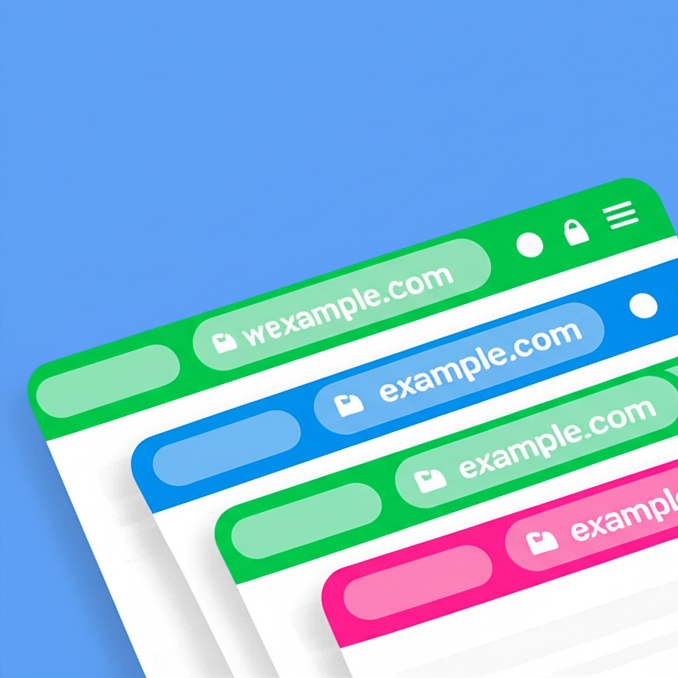
Customize your mobile browsing experience by setting theme colors for the address bar of your pages on your WordPress site
Complete WordPress LMS plugin. Build & sell online courses with quizzes, certificates, and built-in payments. The all-in-one LMS for course creators.

By Marcus (aka @msykes)
Events calendar and booking system: bookings, reservations, appointments, scheduling, event registration, tickets and recurring events.

By kubiq
Fix broken layout when too many items are displayed in the admin bar, remove annoying top margin, hide some unnecessary items from your admin bar

By Ays Pro
QUIZ MAKER plugin allows you to make an unlimited number of Quizzes, Exams and Tests

By storeapps
Give developers or support staff temporary admin access to your WordPress site — no username, no password, and it expires automatically.
CHOOSE WHAT YOUR WEBSITE NEEDS
Start with the task you need to solve. Compare features, WordPress and PHP requirements, update history and the author’s documentation. Test changes on a private copy and avoid adding several plugins for the same job.
This independent directory displays plugin information on WebFulHost and links to the official source. Packages are not mirrored or installed here. A plugin can include paid extensions or services with separate terms from its author.


