

Build fast, accessible accordions and FAQ sections in the WordPress block editor.
★ 4.4/5 (16)7,000+ active installations
- Version
- 1.6.0
- WordPress
- 6.6+
- PHP
- 7.4+
- Updated
- 12 Nov 2026
WORDPRESS RESOURCES
Explore public plugin information from the official WordPress.org directory. Compare what a plugin does, its requirements and update history before adding it to your website.
Explore WordPress hosting →10,000 matching plugins reported by WordPress.org · Page 10 of 50
Source: WordPress.org
Data refreshed 20 Nov 2026 03:44 UTC
Build fast, accessible accordions and FAQ sections in the WordPress block editor.

By Wow-Company
Add code snippets, header & footer scripts and custom HTML, CSS, JS & PHP — site-wide or by shortcode and block, no theme edits.
Advanced Post Block lets you add dynamic post grids, lists, sliders, and tickers. Filter content by category, tag, author, or custom post type.

By Mahmudul Hasan Arif
Add Facebook feeds, Instagram feeds, TikTok feeds, Facebook reviews, WhatsApp Chat, Messenger chat, Testimonial, and others using a single dashboard.
Easy Drag & Drop Page Builder that adds a splash page to your site that it's perfect for a coming soon page, maintenance or landing page.
A block for embedding a beautiful audio player.

By jgwhite33
Display Facebook Page reviews, recommendations, and X (Twitter) posts in a fast WordPress slider or grid. Official APIs; stored locally.

By Broadstreet
Simple Ad-Management for WordPress.

High-converting popup campaigns with PopupKit – advanced triggers, A/B testing, spin-to-win, multistep popups & 270+ popup templates for WordPress
A true Web Application Firewall to protect and secure WordPress.
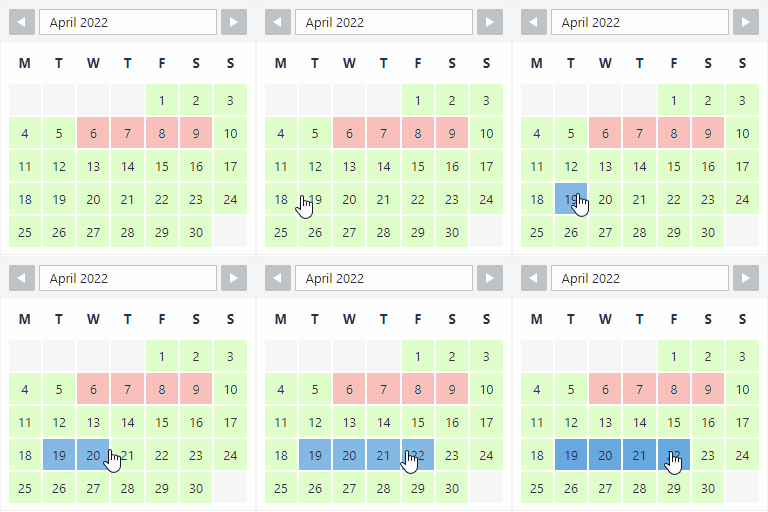
By Roland Murg
The booking calendar plugin for WordPress. Get easy online booking with this lightweight and powerful booking calendar.

By Danny van Kooten
The #1 Mailchimp plugin for WordPress. Allows you to add a multitude of newsletter sign-up methods to your site.
CHOOSE WHAT YOUR WEBSITE NEEDS
Start with the task you need to solve. Compare features, WordPress and PHP requirements, update history and the author’s documentation. Test changes on a private copy and avoid adding several plugins for the same job.
This independent directory displays plugin information on WebFulHost and links to the official source. Packages are not mirrored or installed here. A plugin can include paid extensions or services with separate terms from its author.



