Keep users logged in forever, limit the number of active logins allowed at one time, and alert users of new devices logging into their account.
★ 3.9/5 (26)5,000+ active installations
- Version
- 3.1.6
- WordPress
- 5.0+
- PHP
- 7.4+
- Updated
- 8 Nov 2026
View plugin details ↗Claude, ChatGPT, Gemini or any AI agent runs your site through MCP and automates any task as a workflow. Automation engine built in.
★ 4.9/5 (157)40,000+ active installations
- Version
- 8.0.4
- WordPress
- 6.2+
- PHP
- 7.4+
- Updated
- 12 Nov 2026
View plugin details ↗Turn any PDF into a realistic, interactive 3D page-flip flipbook — or a standard viewer — for eBooks, catalogs, manuals, newsletters & reports.
★ 5.0/5 (6)300+ active installations
- Version
- 1.6.0
- WordPress
- 3.0+
- PHP
- 7.0+
- Updated
- 16 Nov 2026
View plugin details ↗Simply counts the number of times your files are downloaded. Display download links and counts using shortcodes.
★ 4.9/5 (19)2,000+ active installations
- Version
- 2.4
- WordPress
- 5.0+
- PHP
- 5.6.20+
- Updated
- 5 Nov 2026
View plugin details ↗Custom social media feeds for Instagram, Facebook, TikTok, & YouTube. Works with Elementor, Beaver Builder, and Gutenberg blocks.
★ 4.7/5 (639)20,000+ active installations
- Version
- 4.4.3
- WordPress
- 5.4+
- PHP
- 7.0+
- Updated
- 5 Sep 2026
View plugin details ↗Show your team with photos, roles and social links in a team grid, slider, table or list. Shortcode builder with live preview, no coding.
★ 4.7/5 (91)2,000+ active installations
- Version
- 2.8.5
- WordPress
- 6.0+
- PHP
- 7.4+
- Updated
- 9 Nov 2026
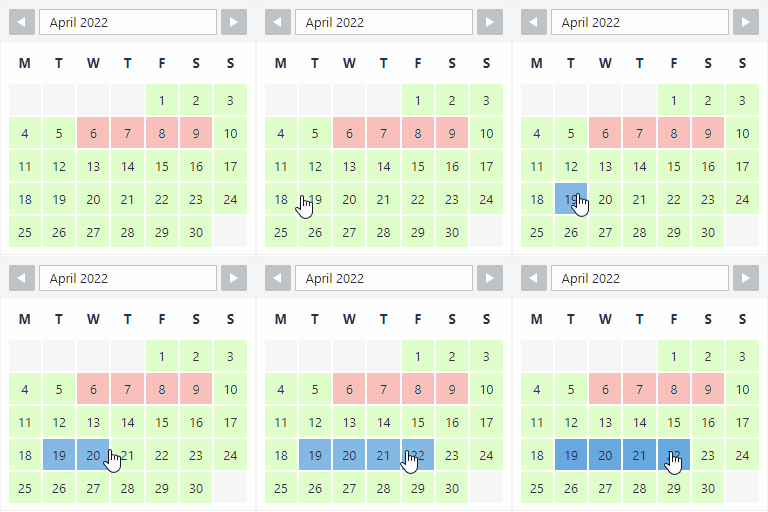
View plugin details ↗The booking calendar plugin for WordPress. Get easy online booking with this lightweight and powerful booking calendar.
★ 4.9/5 (344)10,000+ active installations
- Version
- 2.1.0.8
- WordPress
- 4.7+
- PHP
- 5.6+
- Updated
- 10 Nov 2026
View plugin details ↗Add code snippets, header & footer scripts and custom HTML, CSS, JS & PHP — site-wide or by shortcode and block, no theme edits.
★ 4.9/5 (32)10,000+ active installations
- Version
- 5.0.2
- WordPress
- 5.3+
- PHP
- 7.4+
- Updated
- 16 Nov 2026
View plugin details ↗Include content the way YOU like in an iframe that can hide and modify elements, does auto-height, forward parameters and does many, many more...
★ 4.4/5 (54)40,000+ active installations
- Version
- 2026.5
- WordPress
- 5.5+
- PHP
- 7.4+
- Updated
- 2 Nov 2026
View plugin details ↗Easily switch between themes for development and testing.
★ 4.4/5 (63)7,000+ active installations
- Version
- 3.5
- WordPress
- 4.7+
- PHP
- 5.6.20+
- Updated
- 5 Nov 2026
View plugin details ↗A customizable countdown timer for events, launches, sales, evergreen campaigns, and landing pages.
★ 3.2/5 (54)4,000+ active installations
- Version
- 3.0
- WordPress
- 6.4+
- PHP
- 8.0+
- Updated
- 23 May 2026
View plugin details ↗Place Google AdSense, any ad network and your own banner ads anywhere: Auto Ads, placements, ads.txt, Consent Mode v2. Switch plugins in one click.
★ 5.0/5 (3)2,000+ active installations
- Version
- 1.6.1
- WordPress
- 6.4+
- PHP
- 7.4+
- Updated
- 10 Nov 2026
View plugin details ↗