

Video and audio player, floating video bubble and playlists with call-to-action buttons and built-in analytics.
★ 5.0/5 (2)200+ active installations
- Version
- 5.0.6
- WordPress
- 5.0+
- PHP
- 7.4+
- Updated
- 20 Nov 2026
WORDPRESS RESOURCES
Explore public plugin information from the official WordPress.org directory. Compare what a plugin does, its requirements and update history before adding it to your website.
Explore WordPress hosting →564 matching plugins reported by WordPress.org · Page 13 of 47
Source: WordPress.org
Data refreshed 22 Nov 2026 17:44 UTC
Video and audio player, floating video bubble and playlists with call-to-action buttons and built-in analytics.
All-in-one Elementor addons plugin with 150+ widgets, templates, builder, performance optimization, security features & smart WordPress utilities.
Add lightweight social share buttons to WordPress posts and pages. Gutenberg-native, fully customizable, with shortcode support and share themes.
AI-powered form builder that’s built for performance, simplicity, and feels like a part of WordPress, not a separate platform.

By VillaTheme
Make your WooCommerce emails become professional.

By Sonal S Sinha
SKT Addons for Elementor is one of the great Elementor Addons which comes With 123 completely Free Elementor Widgets including Business hour, image gr …

By CreativeMindsSolutions
Discussion Forum Plugin for WordPress Q&A. Build engaging community forums with voting, moderation, notifications, and AI integration.
By JRMora
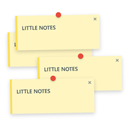
Lightweight frontend sticky notes for website revision, alerts, design feedback and notices. Strictly optimized for desktop environments.

By creativeboat
Add a floating sticky-notes widget to any page or post. Let your team annotate content with color-coded notes — right inside WordPress.
All-in-one admin tools to speed up a slow WordPress admin, harden security, disable XML-RPC and turn on maintenance mode, with no code.

By Pepro Dev. Group
Advanced WooCommerce invoice plugin: create customizable HTML/PDF invoices, attach to emails, and let customers download styled invoices easily.
Social sharing plugin adding social buttons.
CHOOSE WHAT YOUR WEBSITE NEEDS
Start with the task you need to solve. Compare features, WordPress and PHP requirements, update history and the author’s documentation. Test changes on a private copy and avoid adding several plugins for the same job.
This independent directory displays plugin information on WebFulHost and links to the official source. Packages are not mirrored or installed here. A plugin can include paid extensions or services with separate terms from its author.




