

WP Bottom Menu
By J4
WP Bottom Menu allows you to add a woocommerce supported bottom menu to your site.
★ 4.5/5 (23)20,000+ active installations
- Version
- 2.3.0
- WordPress
- 5.0+
- PHP
- 5.6+
- Updated
- 23 Aug 2026
WORDPRESS RESOURCES
Explore public plugin information from the official WordPress.org directory. Compare what a plugin does, its requirements and update history before adding it to your website.
Explore WordPress hosting →10,000 matching plugins reported by WordPress.org · Page 13 of 50
Source: WordPress.org
Data refreshed 20 Nov 2026 23:27 UTC
By J4
WP Bottom Menu allows you to add a woocommerce supported bottom menu to your site.

All-in-one automation plugin: Automate everything & connect your website, plugins and services together with no-code automations. 100+ integrations…

By Connect Think
Compiles .scss files to .css and enqueues them.

By WP Chill
Powerful Download Manager Plugin for WordPress

By Jeremy Green
Display random content anywhere on your WordPress site. Rotate testimonials, banners, CTAs, and more with a simple shortcode or widget.

By advanpix
Advanced LaTeX plugin. Native LaTeX syntax. Allows custom preamble, TikZ and other packages. Zoom-independent visual quality (SVG).
Create high-quality SEO posts, articles, AI images, WooCommerce products. Autofill website. Rewrite and translate with AI. Gemini, chatGPT, Claude
By Jeroen Sormani
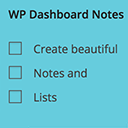
Working with multiple persons on a website? Want to make notes? You can do just that with WP Dashboard Notes. Create beautiful notes with a nice user …

By WPVibes
WP Mail Log helps you to Log and view all emails from WordPress. It is useful if you have to debug email related problems or have to store sent emails …

By WP connect
Swiftly sync Airtable to your WordPress website!
WP Travel is the optimal choice among the WordPress Travel Booking Plugin and Tour Operator to Create Travel and Trekking Websites Without Coding!

By jgwhite33
Display Facebook Page reviews, recommendations, and X (Twitter) posts in a fast WordPress slider or grid. Official APIs; stored locally.
CHOOSE WHAT YOUR WEBSITE NEEDS
Start with the task you need to solve. Compare features, WordPress and PHP requirements, update history and the author’s documentation. Test changes on a private copy and avoid adding several plugins for the same job.
This independent directory displays plugin information on WebFulHost and links to the official source. Packages are not mirrored or installed here. A plugin can include paid extensions or services with separate terms from its author.

