Theme Editor allows you to edit theme files, create folder, upload files and remove any file and folder in themes and plugins.
★ 4.6/5 (128)50,000+ active installations
- Version
- 3.2
- WordPress
- 3.4+
- PHP
- 5.2.4+
- Updated
- 19 Mar 2026
View plugin details ↗Create responsive image gallery, photo gallery with lightbox, grid & masonry layouts. Display using shortcode, Gutenberg block or Elementor widget.
★ 4.4/5 (32)3,000+ active installations
- Version
- 2.0.9
- WordPress
- 5.2+
- Updated
- 5 Oct 2026
View plugin details ↗Automated backups, remote backup to Amazon S3 and Google Drive, stop website crashes before they happen and more. Total Upkeep is the backup solution …
★ 4.8/5 (443)40,000+ active installations
- Version
- 1.17.4
- WordPress
- 5.0+
- PHP
- 7.4+
- Updated
- 18 Aug 2026
View plugin details ↗Add PHP code to your pages and posts easily using shortcodes.
★ 4.9/5 (707)90,000+ active installations
- Version
- 1.4.8
- Updated
- 11 Nov 2026
View plugin details ↗Add code snippets, header & footer scripts and custom HTML, CSS, JS & PHP — site-wide or by shortcode and block, no theme edits.
★ 4.9/5 (32)10,000+ active installations
- Version
- 5.0.2
- WordPress
- 5.3+
- PHP
- 7.4+
- Updated
- 16 Nov 2026
View plugin details ↗Import and export WordPress media from CSV with column mapping, pre-import checks, flexible exports, and duplicate prevention.
★ 3.7/5 (3)1,000+ active installations
- Version
- 1.9.0
- WordPress
- 5.6+
- PHP
- 7.4+
- Updated
- 23 Nov 2026
View plugin details ↗Easily duplicate posts, pages, and custom post types in WordPress with just one click.
★ 5.0/5 (1)10+ active installations
- Version
- 1.1.0
- WordPress
- 5.0+
- PHP
- 7.4+
- Updated
- 27 Oct 2025
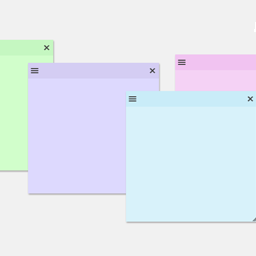
View plugin details ↗Create sticky notes in your WP admin for reminders and to-dos. Restrict notes by user roles and disable them on specific pages.
★ 5.0/5 (7)1,000+ active installations
- Version
- 1.2.7
- WordPress
- 3.6.0+
- PHP
- 5.6+
- Updated
- 4 Sep 2026
View plugin details ↗Optimize and tweak WordPress by disable unused features. Improve performance, SEO and security using Clearfy — super easy, fast and zero code.
★ 4.7/5 (339)40,000+ active installations
- Version
- 2.4.3
- WordPress
- 6.0+
- PHP
- 7.4+
- Updated
- 23 Jul 2026
View plugin details ↗Boost WooCommerce sales with the Rearrange Products for WooCommerce plugin. Easily reorder products with a simple drag-and-drop tool!
★ 4.6/5 (58)20,000+ active installations
- Version
- 6.1.0
- WordPress
- 6.6+
- PHP
- 7.4.0+
- Updated
- 29 Oct 2026
View plugin details ↗Video gallery plugin for WordPress with a built-in HTML5 player. Embed YouTube, Vimeo, Dailymotion, Rumble, and self-hosted videos.
★ 4.8/5 (137)20,000+ active installations
- Version
- 5.2.0
- WordPress
- 6.3+
- PHP
- 7.4+
- Updated
- 16 Nov 2026
View plugin details ↗Give developers or support staff temporary admin access to your WordPress site — no username, no password, and it expires automatically.
★ 5.0/5 (1,554)90,000+ active installations
- Version
- 1.9.11
- WordPress
- 3.0.1+
- PHP
- 5.3+
- Updated
- 23 Nov 2026
View plugin details ↗