Min & Max Quantity for WooCommerce: set limits by cost, product, variation, order, and groups for better purchase control
★ 4.8/5 (218)20,000+ active installations
- Version
- 3.3
- WordPress
- 5.0+
- PHP
- 7.4+
- Updated
- 16 Nov 2026
View plugin details ↗Display Category based Product Listing for WooCommerce in tab format on any page. Woocommerce category list and woocommerce product table.
★ 4.9/5 (28)1,000+ active installations
- Version
- 2.7.5
- WordPress
- 5.2+
- PHP
- 5.6+
- Updated
- 14 Sep 2026
View plugin details ↗Edit any WooCommerce product from your frontend — price, stock, variations, and more — without ever opening wp-admin.
★ 5.0/5 (12)400+ active installations
- Version
- 1.2.3
- WordPress
- 5.0+
- PHP
- 7.4+
- Updated
- 30 Jul 2026
View plugin details ↗Ultimate solution to manage WooCommerce product FAQs.
★ 4.5/5 (2)1,000+ active installations
- Version
- 2.3.4
- WordPress
- 5.9+
- Updated
- 13 Nov 2026
View plugin details ↗Create unlimited WooCommerce product feeds for Google Shopping, Facebook, Instagram & 25+ top channels. Easy feed mapping, filters, and auto updates.
★ 4.8/5 (27)2,000+ active installations
- Version
- 2.4.4
- WordPress
- 4.0+
- PHP
- 5.6+
- Updated
- 19 Nov 2026
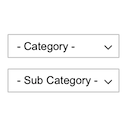
View plugin details ↗Displays product categories as dependent drop-down selects.
★ 4.7/5 (12)800+ active installations
- Version
- 1.0.0
- WordPress
- 4.7+
- Updated
- 16 Nov 2026
View plugin details ↗Keep only the Simple product type for new products in the classic WooCommerce editor, while protecting existing products.
★ 5.0/5 (2)10+ active installations
- Version
- 4.1.0
- WordPress
- 6.5+
- PHP
- 7.4+
- Updated
- 28 Oct 2026
View plugin details ↗Place Google AdSense, any ad network and your own banner ads anywhere: Auto Ads, placements, ads.txt, Consent Mode v2. Switch plugins in one click.
★ 5.0/5 (3)2,000+ active installations
- Version
- 1.6.2
- WordPress
- 6.4+
- PHP
- 7.4+
- Updated
- 26 Nov 2026
View plugin details ↗Convert WooCommerce simple products(physical or downloadable/virtual) to subscription products and allow recurring payments
★ 5.0/5 (4)100+ active installations
- Version
- 1.0.13
- WordPress
- 6.2+
- PHP
- 7.4+
- Updated
- 13 Nov 2026
View plugin details ↗Simple Sticky add to cart for WooCommerce show on product page top and bottom with full color customization and much more option.
★ 4.3/5 (39)700+ active installations
- Version
- 1.4.10
- WordPress
- 5.0+
- PHP
- 7.0+
- Updated
- 23 May 2026
View plugin details ↗
By Akash Sharma (Super Rishi)
Interactive 360° product image viewer for WooCommerce. Drag, swipe or use the arrow keys; opens fullscreen; works on touch.
★ 4.7/5 (23)200+ active installations
- Version
- 6.4.0
- WordPress
- 5.0+
- PHP
- 7.0+
- Updated
- 21 Nov 2026
View plugin details ↗Exclude any post, page, or archive from search engines with one toggle — plus a built-in verifier that proves the tag is really live.
★ 5.0/5 (2)80+ active installations
- Version
- 1.2.0
- WordPress
- 5.8+
- PHP
- 7.4+
- Updated
- 4 Nov 2026
View plugin details ↗